FOR THE ENDLESSLY CURIOUS
Follow
the unknown.
There’s more to the internet
than what you already know.
FOR THE ENDLESSLY CURIOUS
There’s more to the internet
than what you already know.
A little context. A much better next click.
Homepage thumbnails show the look and feel of a site before you visit. Explore with context, without losing your place.
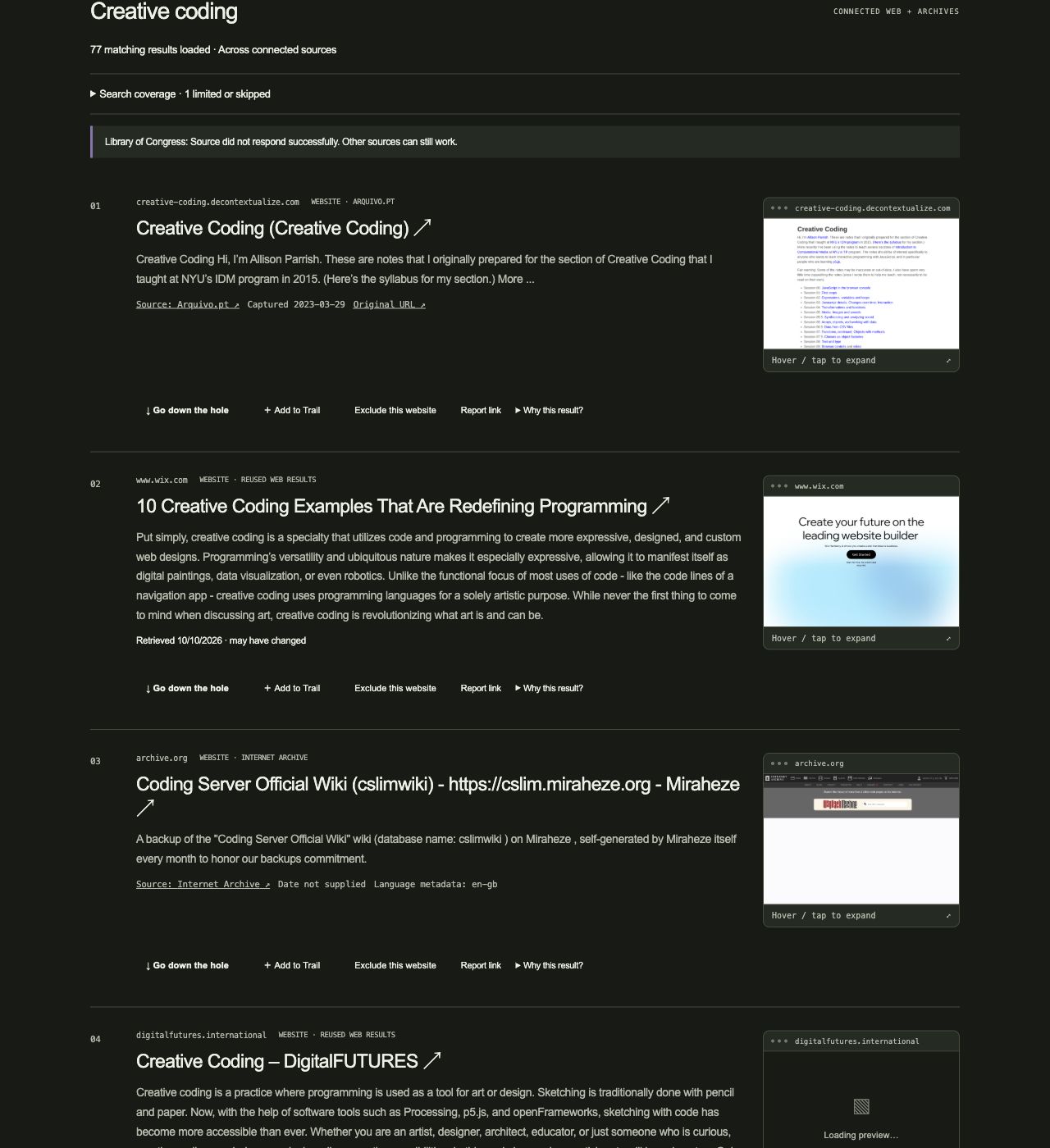
Swipe the screenshot sideways to see every detail ↔
Find an exact phrase. Exclude a website. Choose sources, languages, and dates. Bring the results closer to what you have in mind.
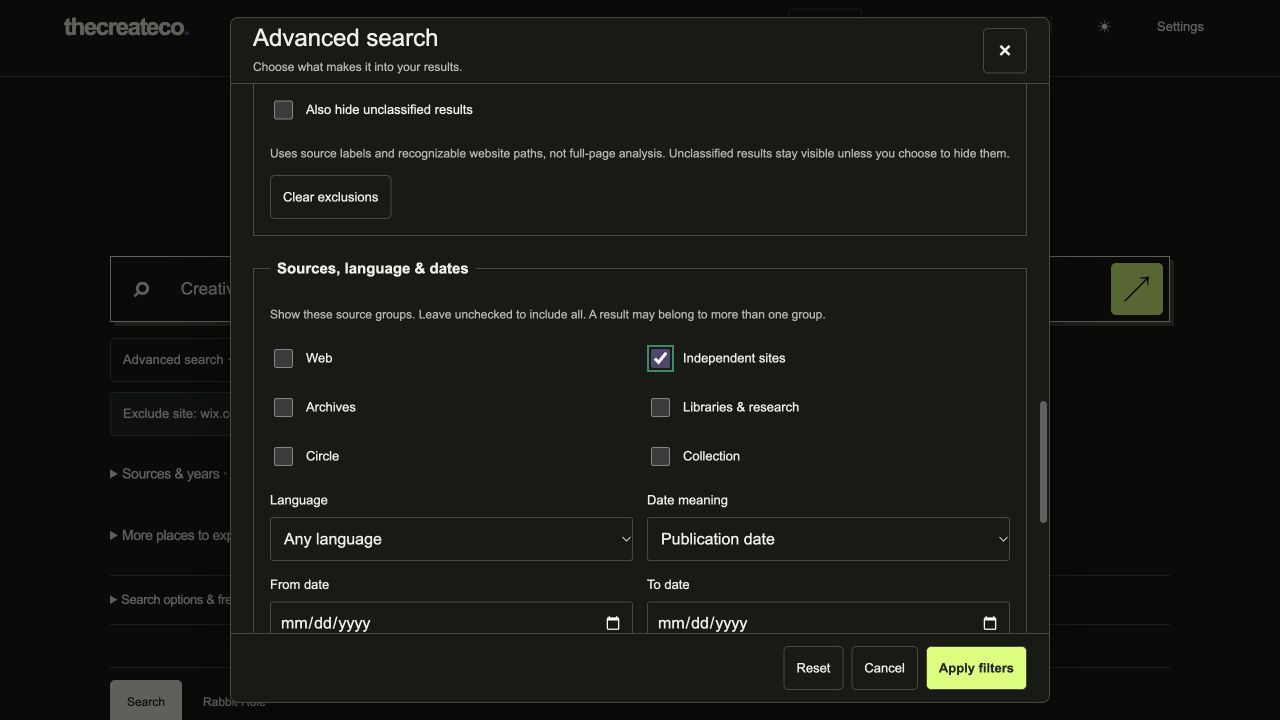
Swipe the panel sideways to see every control ↔
Match an exact phrase, include any of several words or phrases, or require another term. Limit your search to chosen websites when you already know where the good material lives.
Remove websites, keywords, or whole phrases. Choose whether exclusions apply to titles only or titles and descriptions. Include subdomains, or keep a website rule specific to one host. Archived results are checked against their original website, too.
Exclude images, video, audio, PDFs, ebooks, or direct downloads, and add your own file extensions. You can also exclude shopping, news, social posts, forums, research papers, books, tutorials, jobs, or profiles. Keep unclassified results, or hide them.
Choose Web, Independent sites, Archives, Libraries & research, Circle, or Collection. Select a language and date range, with a choice of publication date, archive capture date, or library item date. These are different clocks; Hole keeps them distinct.
Sort by relevance, newest, oldest, or Discovery, which brings identified independent and unusual sources forward. Limit results to one per website hostname. Remove individual filter chips whenever you want to open things up.
Remember your filters on this device to reuse them. Leave that option off to keep filters for the current search and its next pages, then start fresh with a new question.
Search across the web, independent sites, archives, books, research, and public Circle conversations. Choose your sources; follow the unexpected.
Hole combines web-provider results with public Circle profiles and posts, its reviewed directory, and the shared web collection.
Web retrieval supports Tavily or Brave Search, selected by the deployment configuration.
Search preserved webpage text. Explore a capture year and follow the original URL.
02 / COLLECTIONSSearch collection metadata and item dates across an enormous cultural archive.
03 / INDEPENDENT WEBA different route into smaller websites. No reliable date filter; skipped for source-year searches.
04 / HISTORICAL MATERIALSearch historical collection records with item dates where available.
05 / BOOKSDiscover books through metadata and first-publication years. Access varies by book.
06 / RESEARCHFind research publication metadata and dates, then follow the work to its publisher.
Connected does not mean every source answers every query. Hole displays source status and continues when a provider is unavailable. Book and research records do not guarantee full-text access. “More places to explore” links in the app are separate destinations, not additional connected search integrations.
Hole alternates between Web + Circle and public indexes, mixes sources, and removes duplicate URLs. Query matches, your selected lens, source information, and upstream provider order shape relevance. Repeated website domains receive a ranking penalty.
Hole does not sell result positions. Search is not perfectly neutral: upstream rankings, source coverage, editorial choices, and metadata still affect what you see. Source labels and “Why this result?” help explain each discovery.
Turn an interesting result into another direction. Follow related topics, branch into a new search, or dig deeper into sources that have more results to give.
Add discoveries to a named Trail and save it on this device. Keep the places that belong together, so a wandering session becomes something you can return to.
Let the reviewed directory surprise you. Or suggest a permanent source and help Hole’s collection grow. Useful places deserve another way to be found.
Free to explore. Live web searches share a limited allowance; the directory, collection, and Circle remain useful when that allowance runs out.