Bring the music in.
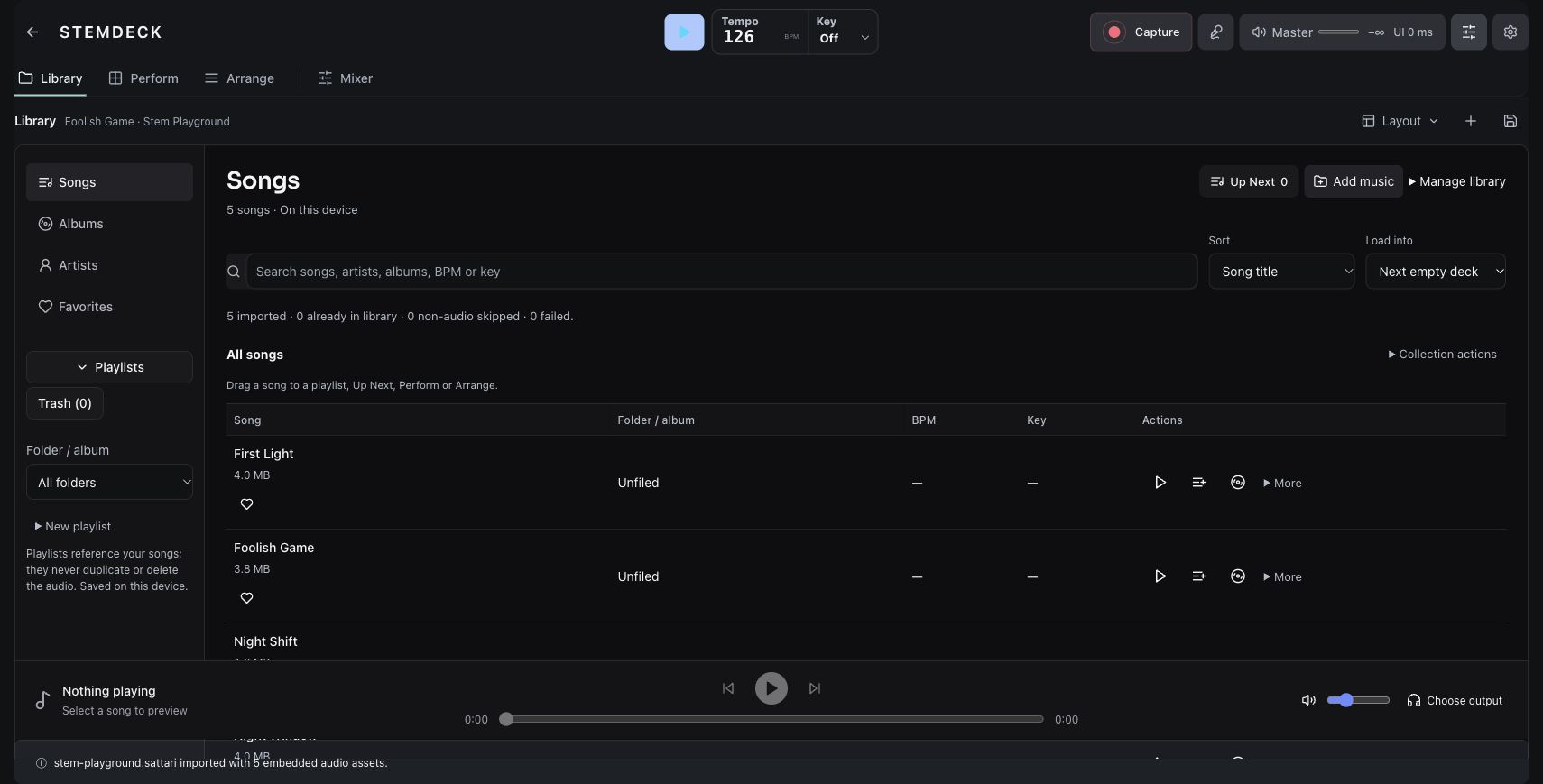
Import your audio or open the prepared session. Keep the song and its available stems together in the library.
Library / Audio import / Prepared stemsA DIRECT SPACE FOR MUSICAL IDEAS / StemDeck
Start with a song. Bring its parts in and out. Find the version you want to hear.
Mix, arrange, perform and capture. One session. Your way of playing.
Open the web studio StemDeck Online on Sattari · Public web testing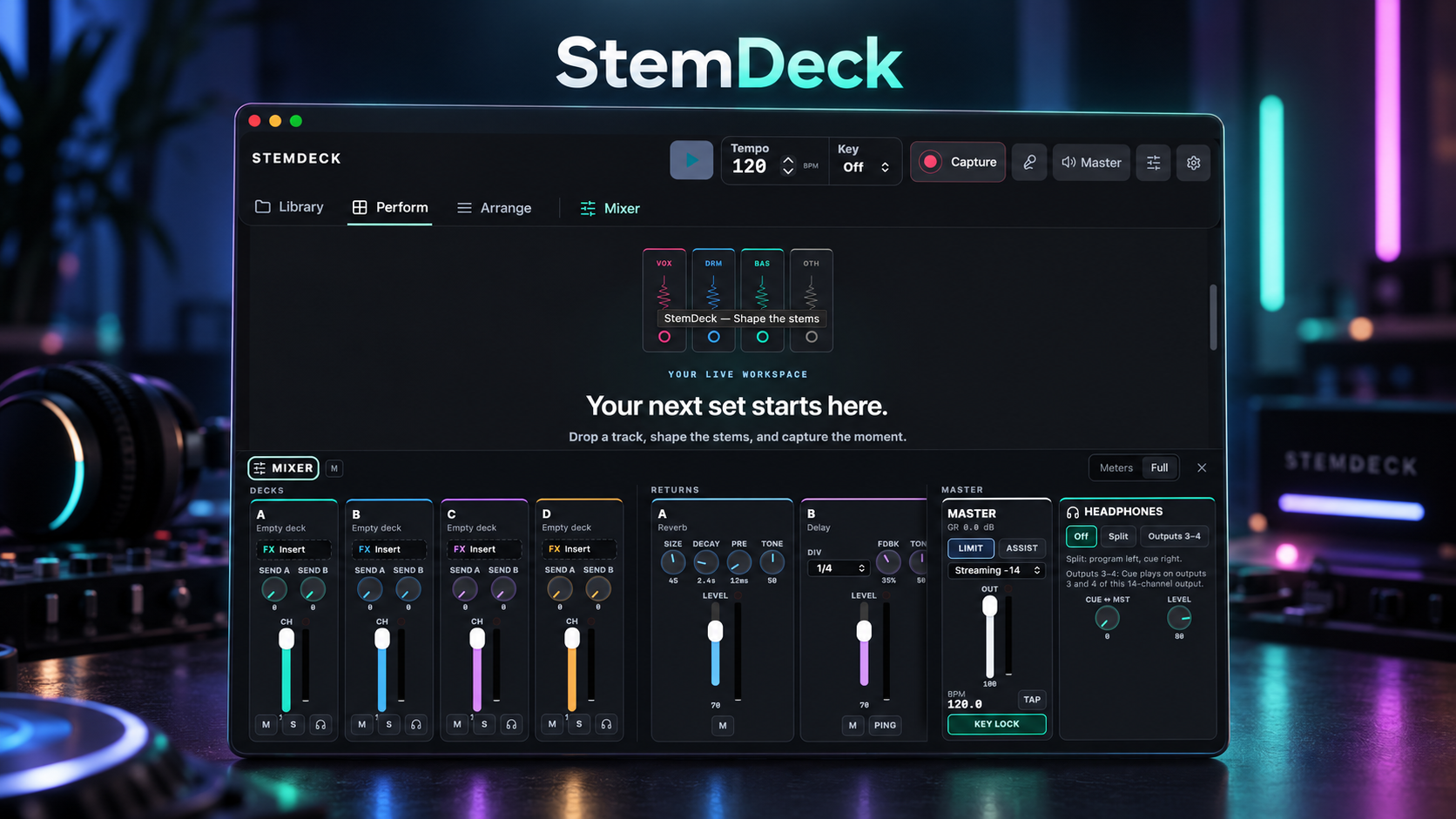
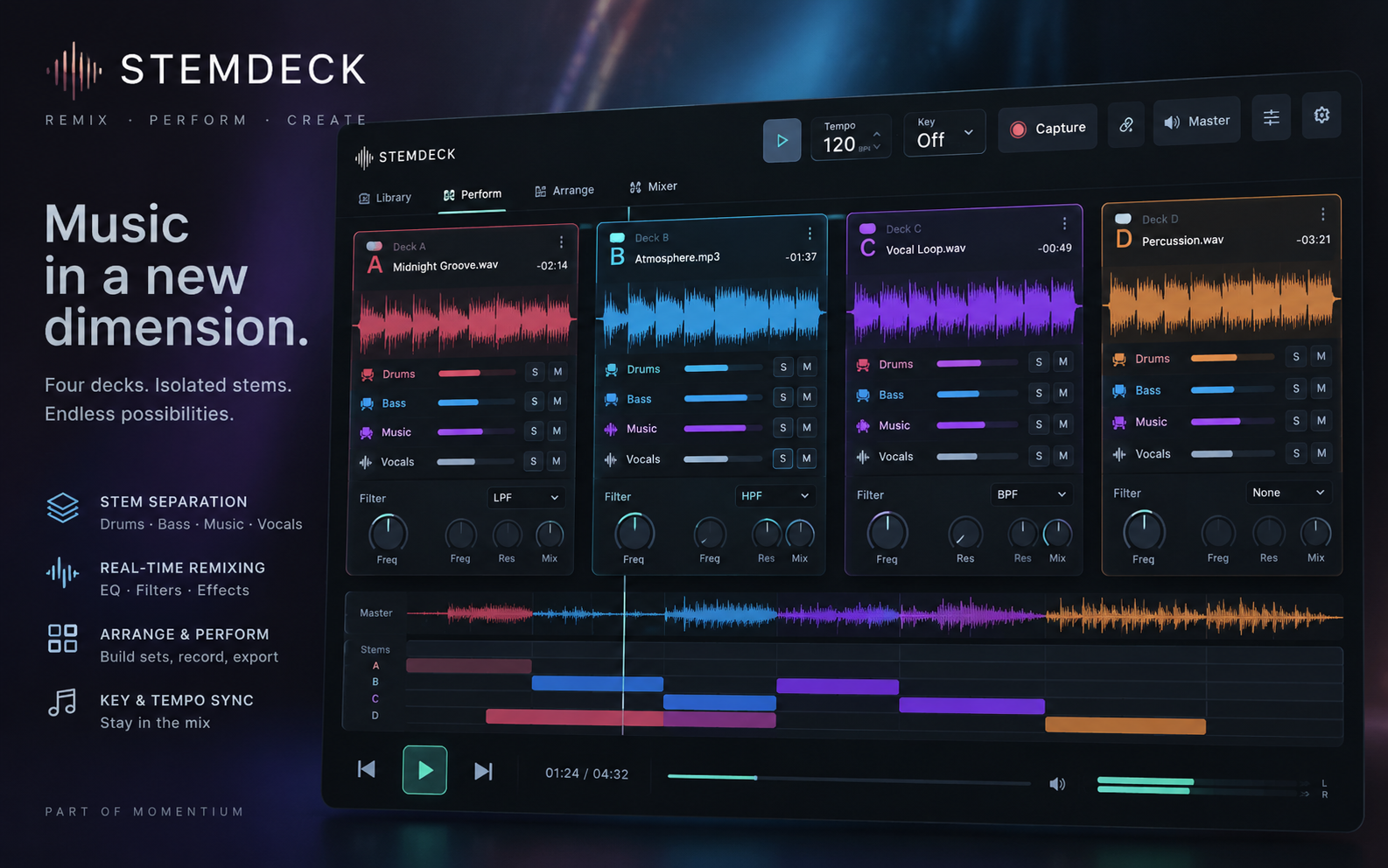
IMPORT / MIX / ARRANGE / CAPTURE
MAKE IT YOURS / REAL EDITOR
Press Play and remove a vocal. Build a 32-beat loop for eight bars in 4/4, then reshape the phrase in the real arranger.
StemDeck / REAL EDITOR
About StemDeck ↗Press Play, then take vocals or drums out of the mix.
01 / THE WORKFLOW
Move from the library into performance, arrangement and mixing. Hear each decision as you make it.
Import your audio or open the prepared session. Keep the song and its available stems together in the library.
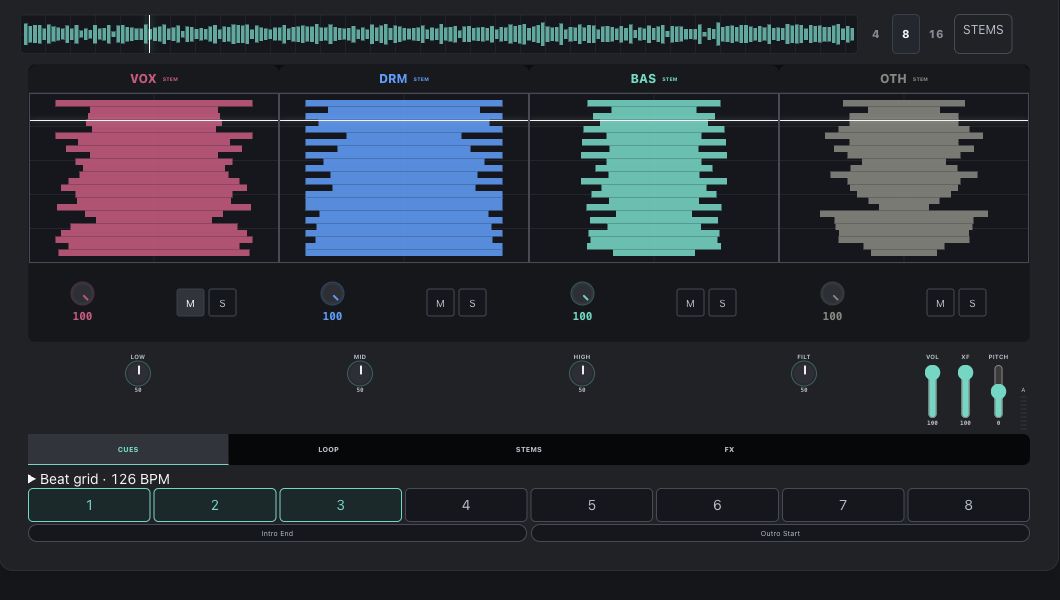
Library / Audio import / Prepared stemsPlay the track, mute the drums, isolate the vocals and balance the parts. Use deck and mixer controls to shape the sound.
Stem lanes / Mute & solo / MixingPlace clips in the arranger, build a break and bring the song back. Keep a portable session and export your mix.
Arrangement / Clip editing / Project backup02 / BUILT TO KEEP YOU MAKING
Take the drums out. Try another cue. Build an opening, a drop and a return in the current Sattari-based studio.
Find your starting pointStem mixing
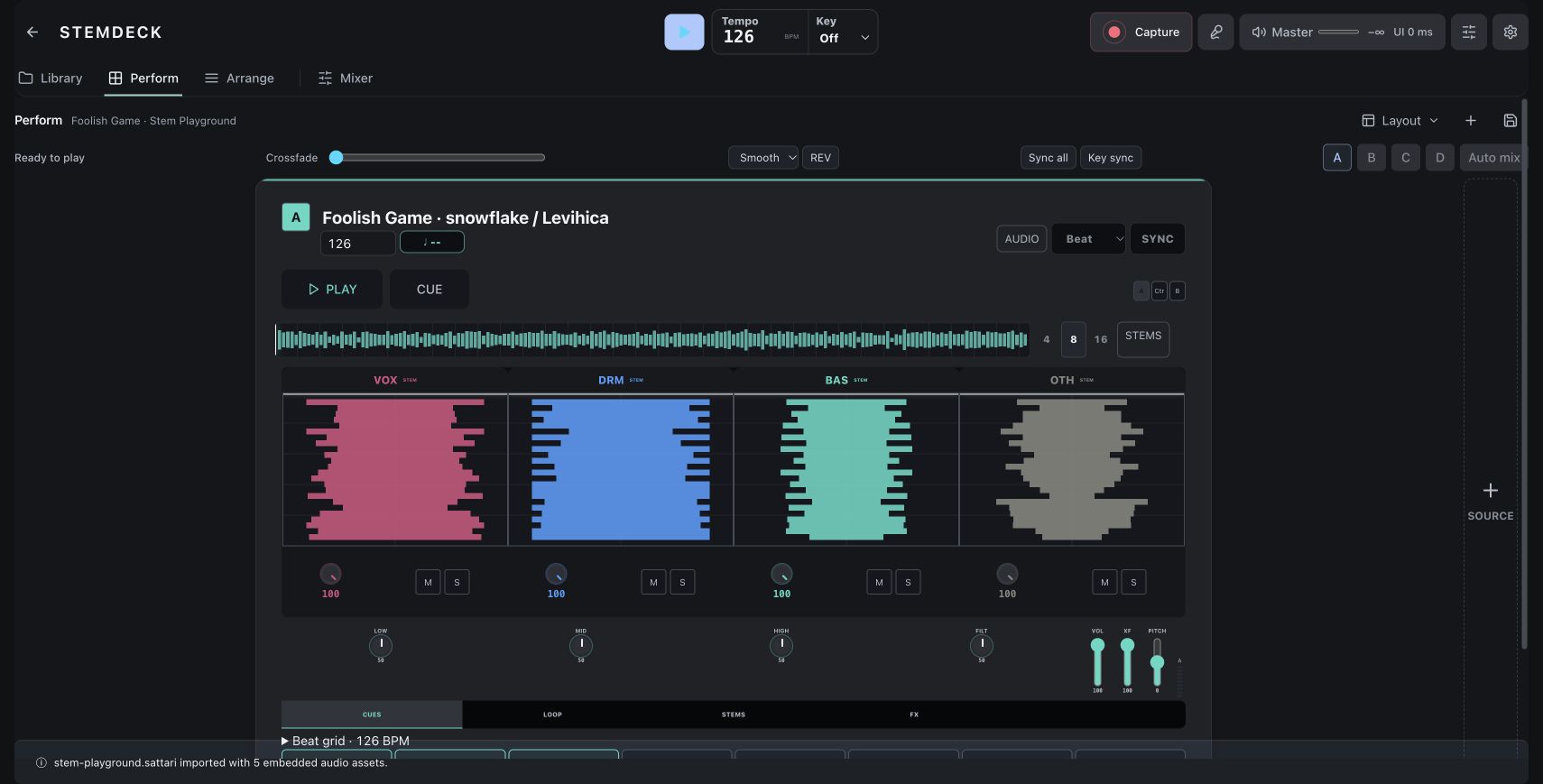
Control prepared vocal, drum, bass and music stems while the song plays. Mute, solo and balance the available tracks.
Arrangement
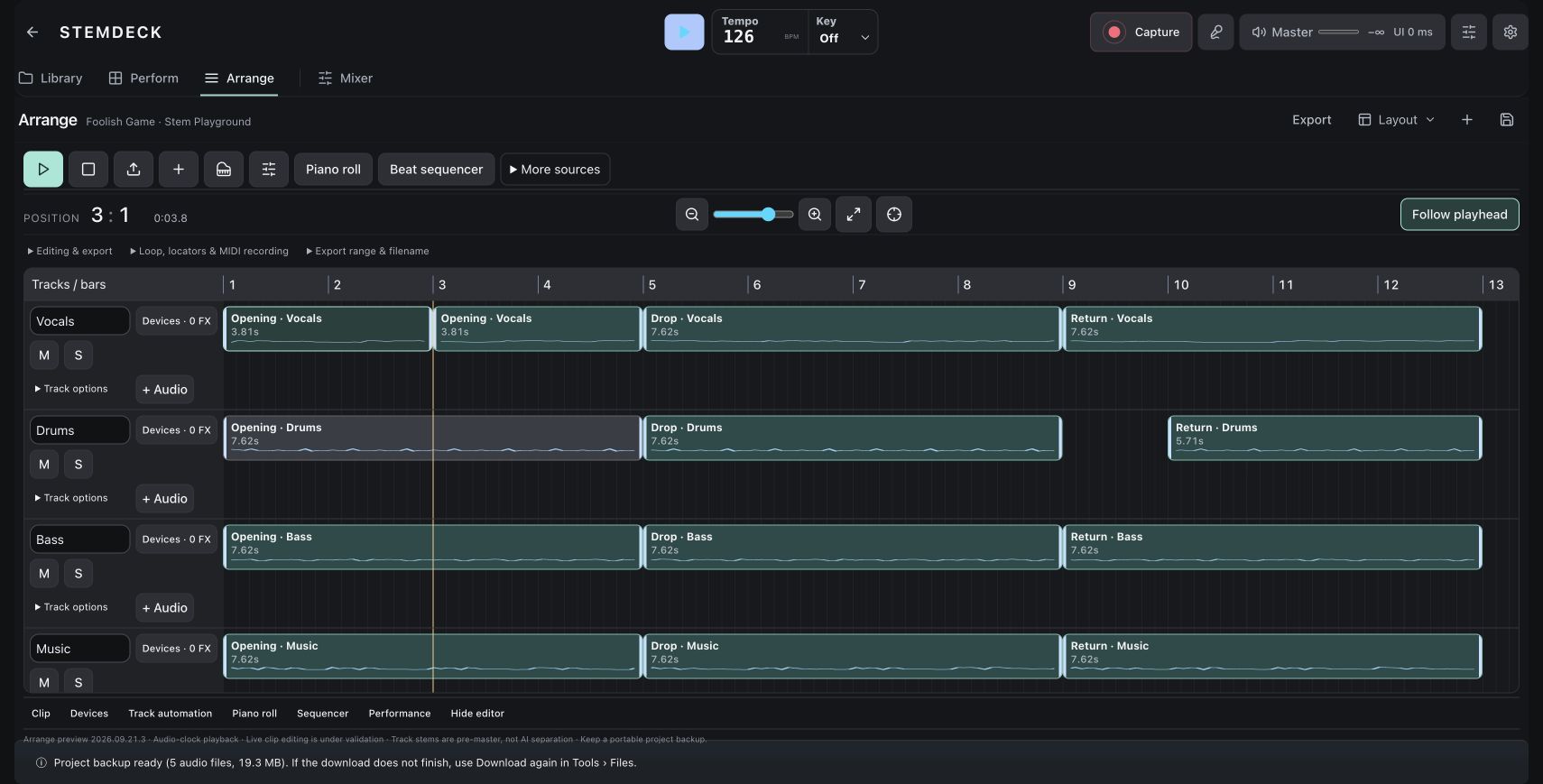
Work with a multitrack timeline, clip regions, loop ranges and locators to build a deliberate arrangement.
Performance & effects
Explore cues, performance pads and native effects. Compare treatments and control the master output in the same session.
03 / BEYOND THE FIRST MIX
Use the prepared music to learn a real performance workflow, then save the session so you can return to your version.
Try it in StemDeckThe examples include prepared separate stems. Muting these parts plays the supplied tracks; it does not perform new AI separation on an arbitrary song. Separation availability depends on the edition and configured services.
START WITH SOMETHING YOU WANT TO MAKE
Choose a workflow. Make one useful change. Then take the idea further.
Mute, solo and balance prepared stem lanes while the song keeps playing.
Stems + performance↗02Explore the real arrangement workspace, move audio and shape an edit around your idea.
Timeline + arrangement↗03Explore capture and session recall in StemDeck Online, then continue with your own audio.
Capture + sessions↗INSIDE STEMDECK
Mix, arrange, perform and capture in StemDeck Online on Sattari.
33features to explore
Open the current studio at sattarimusic.com/studio, with Library, Perform, Arrange and Mixer views.
See release status for this edition. Offline operation is not confirmed for this capability.
Import audio, control deck levels and work with available full-mix, drums, bass, music and vocal lanes. Existing stem controls are separate from AI separation.
Available in the browser workshop. Initial editor and media loading require a network connection.
Try this feature ↗Blend the A/C and B/D groups with selectable response curves.
See release status for this edition. Offline operation is not confirmed for this capability.
Play one-shot pads and shape the performance with Echo and Space controls.
See release status for this edition. Offline operation is not confirmed for this capability.
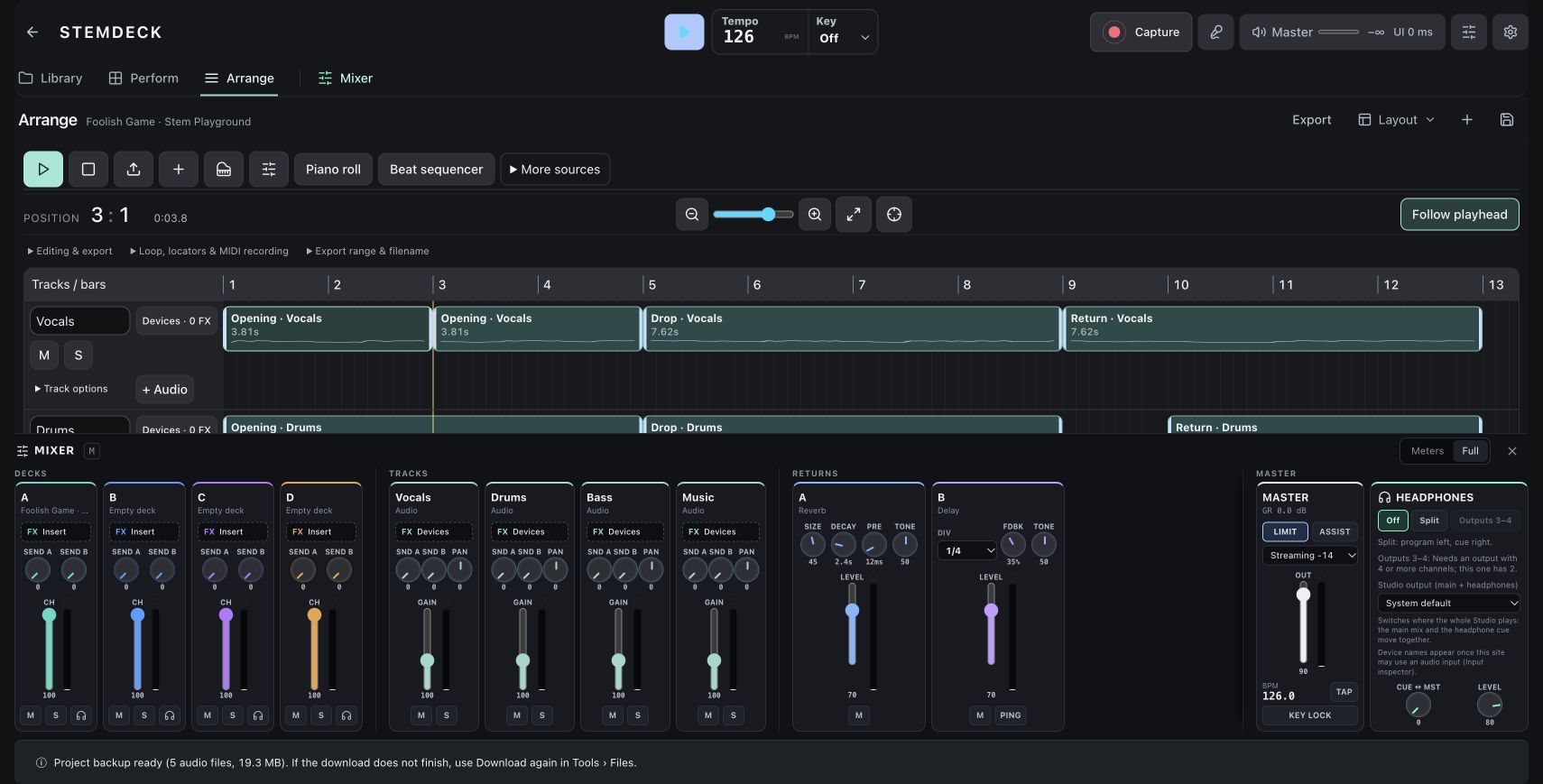
Review output metering and control the master vocals, drums, bass, other and full-mix groups.
See release status for this edition. Offline operation is not confirmed for this capability.
Import audio, add tracks, copy deck audio into the arrangement and edit clips against the timeline grid.
Available in the browser workshop. Initial editor and media loading require a network connection.
Try this feature ↗Add an instrument, work in the piano roll or beat sequencer, import MIDI and connect supported MIDI input.
See release status for this edition. Offline operation is not confirmed for this capability.
Add the browser editions of Sattari EQ, Comp, Echo, Space, Heat and Image. Native plugin hosting is a separate runtime.
Available in the browser workshop. Initial editor and media loading require a network connection.
Try this feature ↗Set loop start and end, loop a selected clip and mark positions with locators.
Available in the browser workshop. Initial editor and media loading require a network connection.
Try this feature ↗Shape supported track parameters over the course of an arrangement.
See release status for this edition. Offline operation is not confirmed for this capability.
Choose a microphone or interface, arm an input lane and use the available multitrack or WAV capture controls.
See release status for this edition. Offline operation is not confirmed for this capability.
Export an arrangement mixdown or pre-master track stems with selectable range and filename. These track exports do not perform AI separation.
See release status for this edition. Offline operation is not confirmed for this capability.
Save a .sattari project containing supported session settings and its source audio, then reopen it in the studio.
Available in the browser workshop. Initial editor and media loading require a network connection.
Try this feature ↗Keep audio and session work on the current device, with recoverable takes and portable backups for handoff.
See release status for this edition. Offline operation is not confirmed for this capability.
Load tracks into decks A–D.
See release status for this edition. Offline operation is not confirmed for this capability.
Inspect audio, play, stop, cue, rewind, and loop supported material.
See release status for this edition. Offline operation is not confirmed for this capability.
Control full mix, drums, bass, music, and vocals within a shared deck transport.
See release status for this edition. Offline operation is not confirmed for this capability.
Use a configured local separator, with cached results and processing status.
See release status for this edition. Offline operation is not confirmed for this capability.
Gain trim, channel faders, three-band EQ, and filters.
See release status for this edition. Offline operation is not confirmed for this capability.
Blend deck groups using an equal-power curve; grouping differs between editions.
See release status for this edition. Offline operation is not confirmed for this capability.
Master gain and a safety limiter.
See release status for this edition. Offline operation is not confirmed for this capability.
Editable source BPM and supported host-tempo synchronization.
See release status for this edition. Offline operation is not confirmed for this capability.
Host-grid synchronization and per-deck beat offsets.
See release status for this edition. Offline operation is not confirmed for this capability.
Track-level key estimates and optional live-window analysis.
See release status for this edition. Offline operation is not confirmed for this capability.
Manual pitch changes, target keys, and an internal key-preserving playback path.
See release status for this edition. Offline operation is not confirmed for this capability.
Eight loadable one-shot pads with focused-window keyboard triggering.
See release status for this edition. Offline operation is not confirmed for this capability.
Input monitoring and gain controls.
See release status for this edition. Offline operation is not confirmed for this capability.
Sattari plugin-chain groundwork for decks, microphone, and master processing.
See release status for this edition. Offline operation is not confirmed for this capability.
Record the performed master output to WAV.
See release status for this edition. Offline operation is not confirmed for this capability.
Export event/arrangement information for reviewing a recorded session.
See release status for this edition. Offline operation is not confirmed for this capability.
Preserve supported settings and deck/pad file references.
See release status for this edition. Offline operation is not confirmed for this capability.
Render a 1–60-second stereo WAV from current cue points, levels, loops, and crossfade.
See release status for this edition. Offline operation is not confirmed for this capability.
Load your own audio or original demo studies without uploading the audio.
See release status for this edition. Offline operation is not confirmed for this capability.
NATIVE APP PREVIEW
These native features are separate from StemDeck Online. The current online studio and its learning workspace are described above.
Inspect waveforms and shape transitions with deck transport, cues, loops and mixer controls.
Adjust drums, bass, music and vocals separately when stems are available. Separation quality depends on the engine and source.
Use recording and arrangement-capture tools to revisit a performed mix. Long-session reliability remains an early-access qualification item.
THE CURRENT STUDIO / REAL WORKING SESSIONS
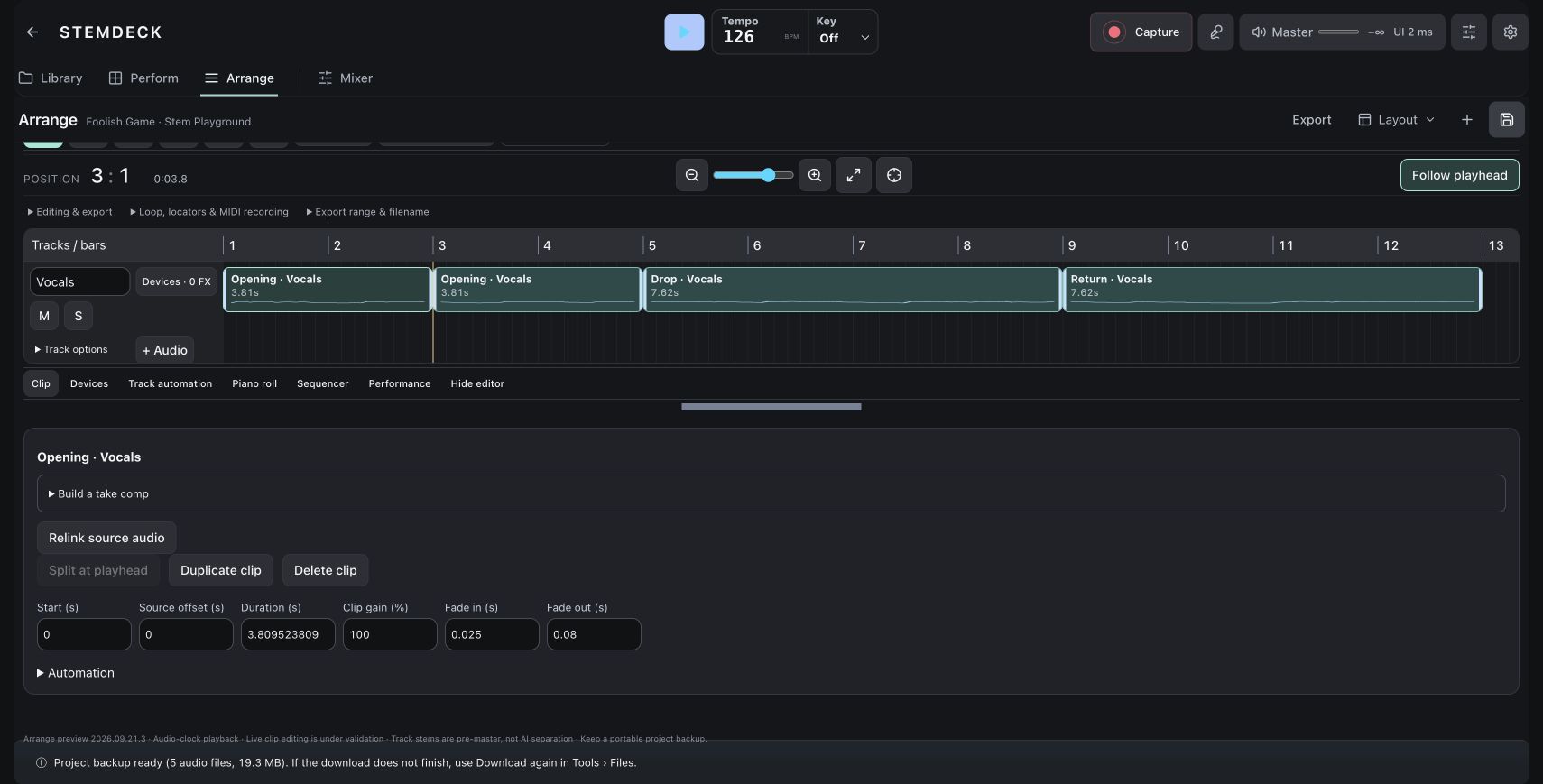
Captured in StemDeck at sattarimusic.com/studio. Open any screenshot for a closer look.
YOUR BROWSER EDITION
Use Library, Perform, Arrange and Mixer views in StemDeck Online. Mix decks, arrange audio and MIDI, add built-in effects, capture input and save a portable project.
Arrangement playback is marked as a preview in the current Sattari studio. Browser effects are distinct from native plugin hosting. Track-stem export is not AI stem separation. Save a portable .sattari backup to keep your source audio with your session.
Mac release candidates are under review. Public download links are not available yet. No public iOS build is available.
THE FOUR-PRODUCT CREATIVE SUITE