Start with a line.
Draw a profile, import an SVG or begin with a reusable primitive. Start simple. The interesting part comes next.
Sketch tools / SVG import / PrimitivesA DIRECT SPACE FOR 3D IDEAS
Your next idea doesn’t need another menu.
It needs room to take shape.
Sketch, build, refine and shade.
One workspace. Your way of making.
SKETCH / SHAPE / REFINE / SHADE
MAKE IT YOURS / REAL EDITOR
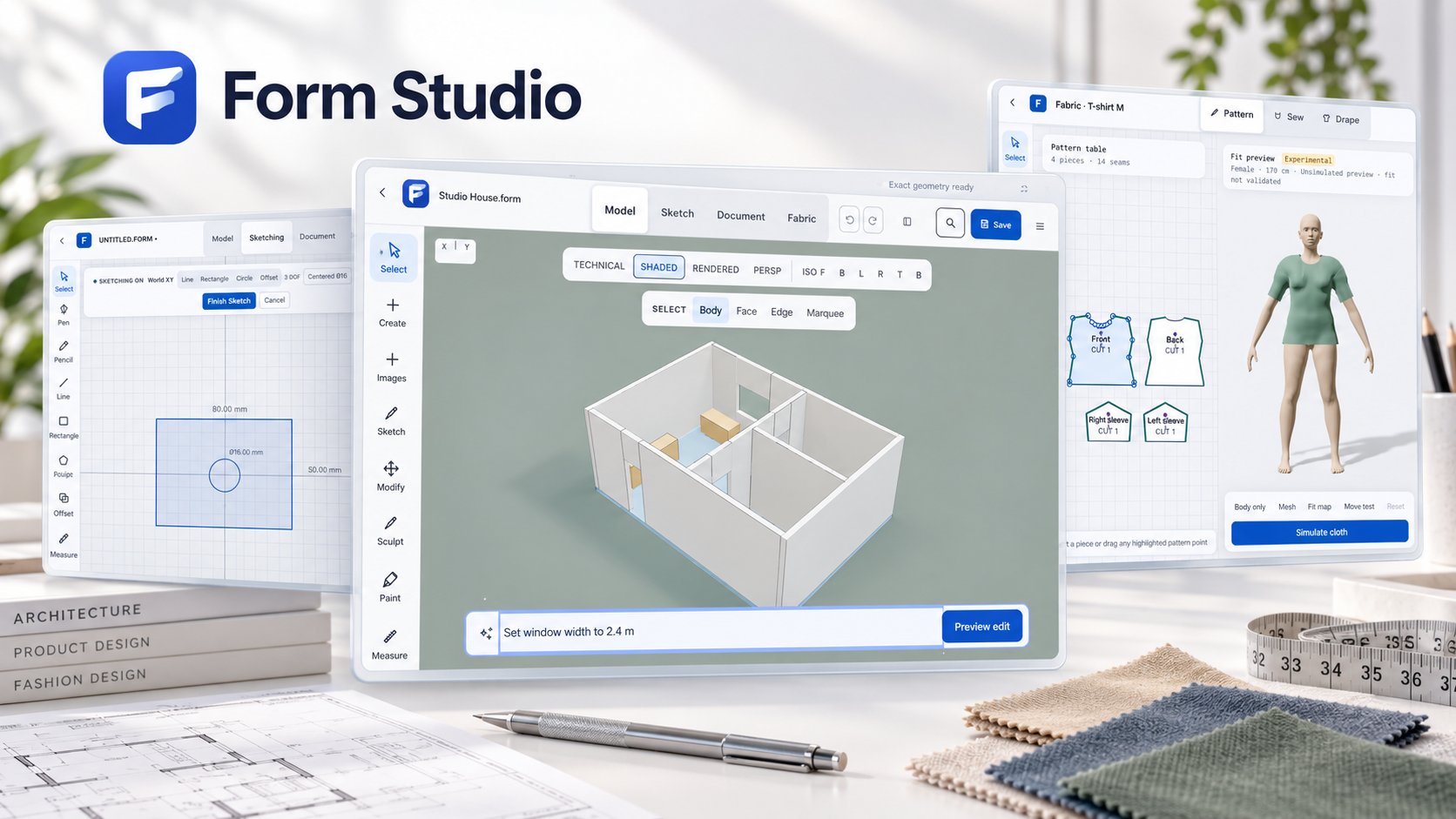
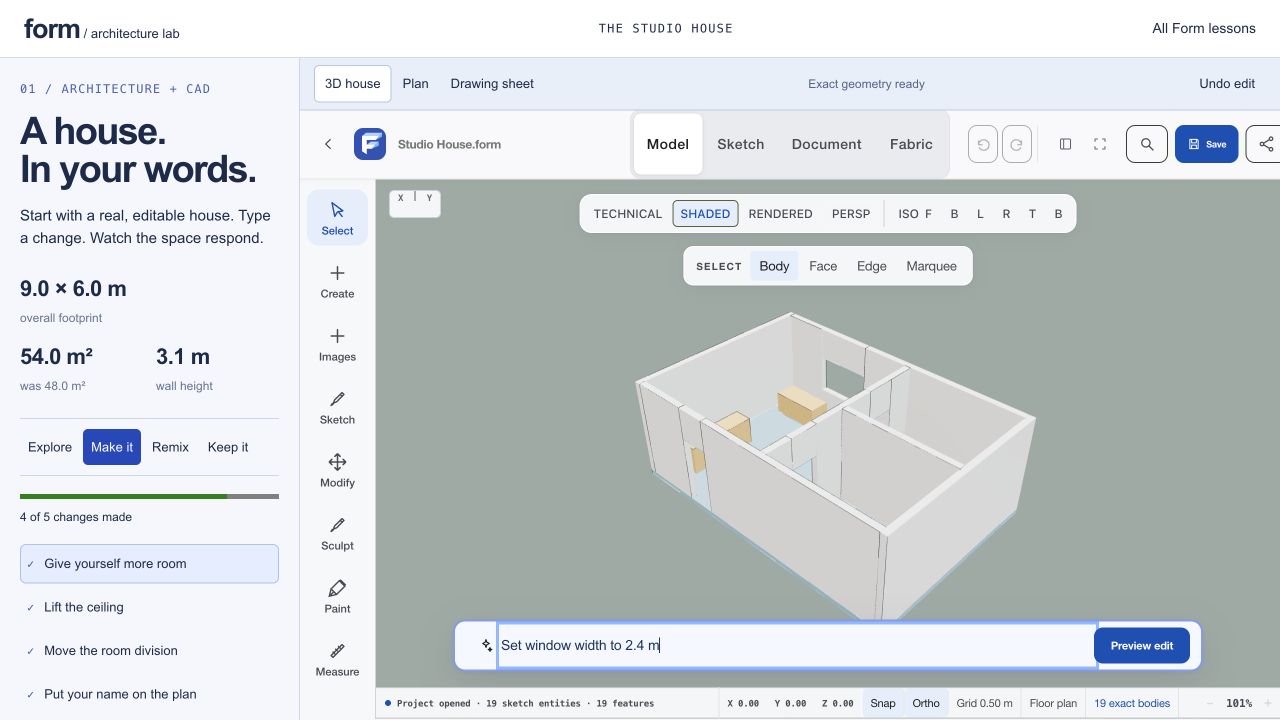
Start with Studio House. Change a dimension in words, inspect the plan, and keep the editable geometry.
Form Studio / REAL EDITOR
About Form Studio ↗Make the room wider through its text command box.
01 / THE WORKFLOW
Move between free exploration and measured decisions. Keep the process direct—and the result editable.
Draw a profile, import an SVG or begin with a reusable primitive. Start simple. The interesting part comes next.
Sketch tools / SVG import / PrimitivesTurn a closed profile into a solid. Pull a face, enter a distance or refine a dimension—in millimeters, inches or degrees.
Extrude / Direct editing / Exact dimensionsExplore modifiers, adjust a finish and compose your scene. Save the editable project so the next idea doesn’t mean starting over.
Modifiers / Materials / Editable projects02 / BUILT TO KEEP YOU MAKING
Make a buckle. Explore a sculptural object. Refine a part. Choose the tools that suit the work.
Find your starting pointPrecision CAD
Work with dimensions, constraints and feature history. Exact geometry helps you move beyond a good-looking viewport.
Creative modeling
Shape creative meshes, apply modifiers and explore material graphs. Undo and Redo keep iteration part of the process.
Design generators
Begin with purpose-built recipes for hardware, rings and linked systems. Adjust the parameters instead of rebuilding every repeated detail.
03 / BEYOND THE SOLID
Draft or trace pattern pieces, connect seams and explore how they drape around adjustable or imported bodies.
Open Form, then choose FabricSimulation and fit estimates are not physically validated sizing or production approval. Test patterns and materials before manufacturing.
INSIDE FORM STUDIO
Design precise products, jewelry, and garments in one editable workspace.
16features to explore
Create dimensioned 2D sketches with units, constraints, and editable relationships.
Try the browser workshop online. Initial editor and example assets require a network connection.
Try this feature ↗Build and rebuild solid geometry using exact geometry operations, including native desktop geometry services.
Try the browser workshop online. Initial editor and example assets require a network connection.
Try this feature ↗Revisit earlier modeling decisions, adjust parameters, and explore configurations.
See release status for this edition. Offline operation is not confirmed for this capability.
Organize reusable parts, assemble components, and define mating relationships.
See release status for this edition. Offline operation is not confirmed for this capability.
Prepare drawings, quantities, geometric dimensioning and tolerancing metadata, and manufacturing checks.
See release status for this edition. Offline operation is not confirmed for this capability.
Start product, engineering, architectural, jewelry, hardware, ring, chain, and linked-system designs from natural-language descriptions or procedural starters.
Try the browser workshop online. Initial editor and example assets require a network connection.
Try this feature ↗Extrude, inset, bevel, insert edge loops, crease edges, transform vertices, and sculpt.
Try the browser workshop online. Initial editor and example assets require a network connection.
Try this feature ↗Reorder or toggle subdivision, mirroring, arrays, solidification, welding, smoothing, simplification, retopology, bending, twisting, tapering, bulging, and displacement.
See release status for this edition. Offline operation is not confirmed for this capability.
Preserve recorded brush strokes and multiresolution sculpt layers instead of immediately flattening every change into geometry.
See release status for this edition. Offline operation is not confirmed for this capability.
Draft and grade patterns, define seams, import fit bodies, and inspect fit maps.
Try the browser workshop online. Initial editor and example assets require a network connection.
Try this feature ↗Explore fabric behavior with layered, self, and avatar collision support; desktop adds native simulation.
Try the browser workshop online. Initial editor and example assets require a network connection.
Try this feature ↗Apply persistent physically based materials, compare lighting environments, adjust exposure and shadows, and export the current camera view as PNG.
See release status for this edition. Offline operation is not confirmed for this capability.
Explore animation, rigging, and physics-driven studies; these remain subject to beta qualification.
See release status for this edition. Offline operation is not confirmed for this capability.
Supported workflows include STEP/BREP, STL, editable DXF, mesh formats, and scoped IFC4/USD handling.
See release status for this edition. Offline operation is not confirmed for this capability.
Versioned `.form` and `.formcad` files, migration of older projects, backups, recovery checkpoints, and atomic native saves.
See release status for this edition. Offline operation is not confirmed for this capability.
Authenticated web revisions, shared assets, sharing, and branch/review information.
See release status for this edition. Offline operation is not confirmed for this capability.
AFTER HOURS / Form Studio / Web editor
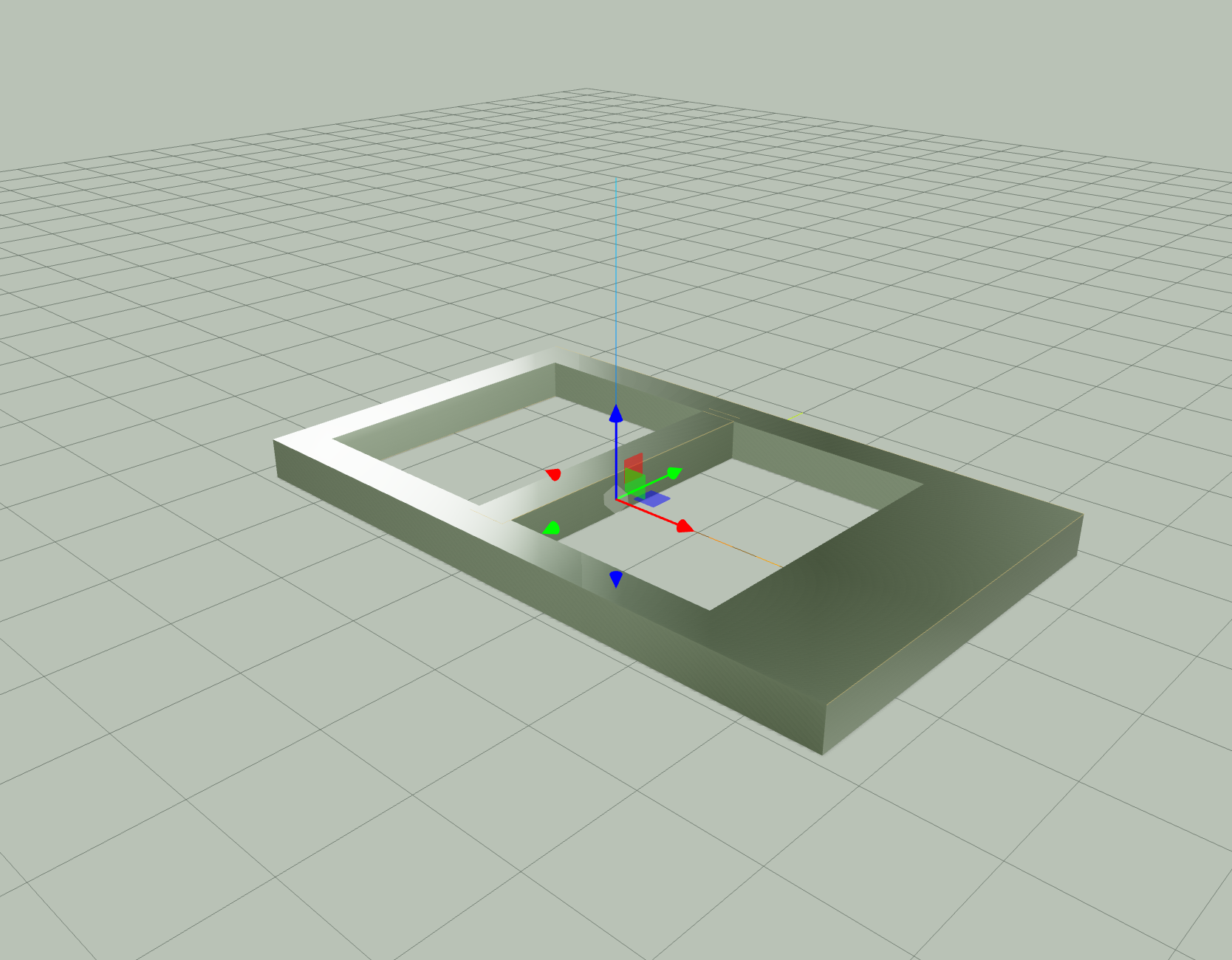
An editable clasp study, from its first proportions to a broader frame and two contrasting metal finishes.
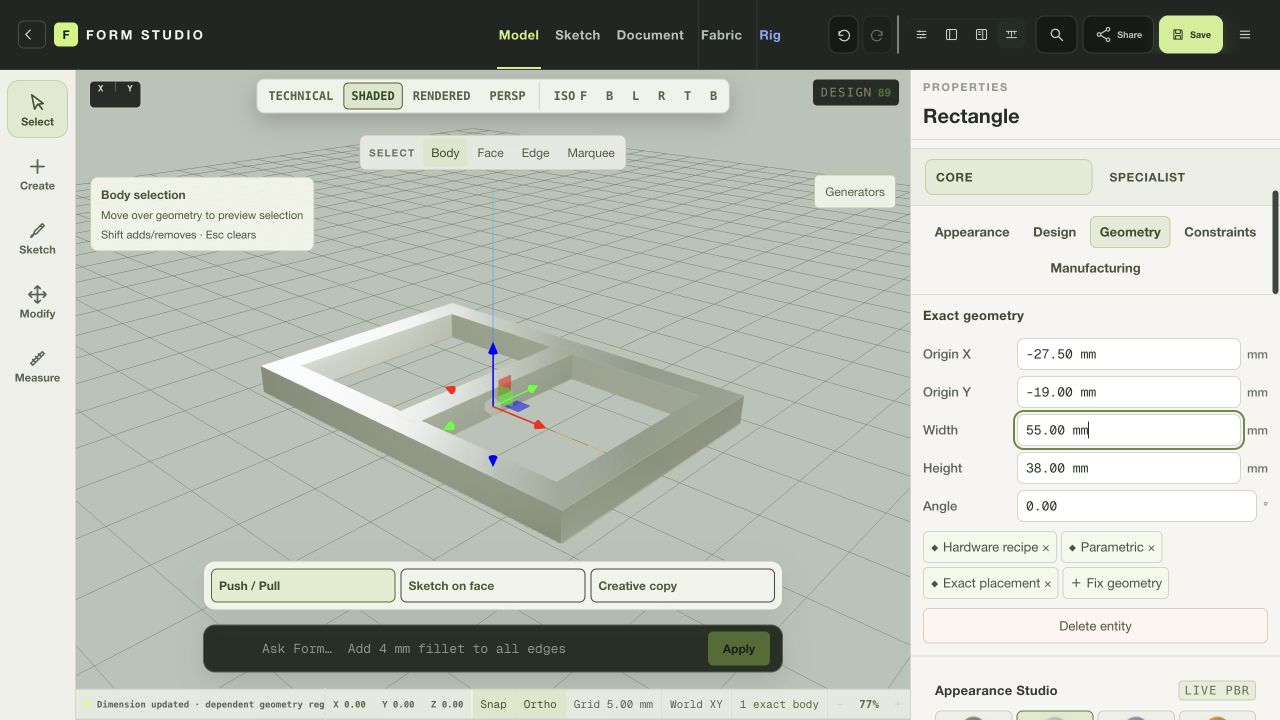
The buckle starter establishes a 55 × 38 mm outer profile. Its frame, openings and centre bar remain in the editable feature history.
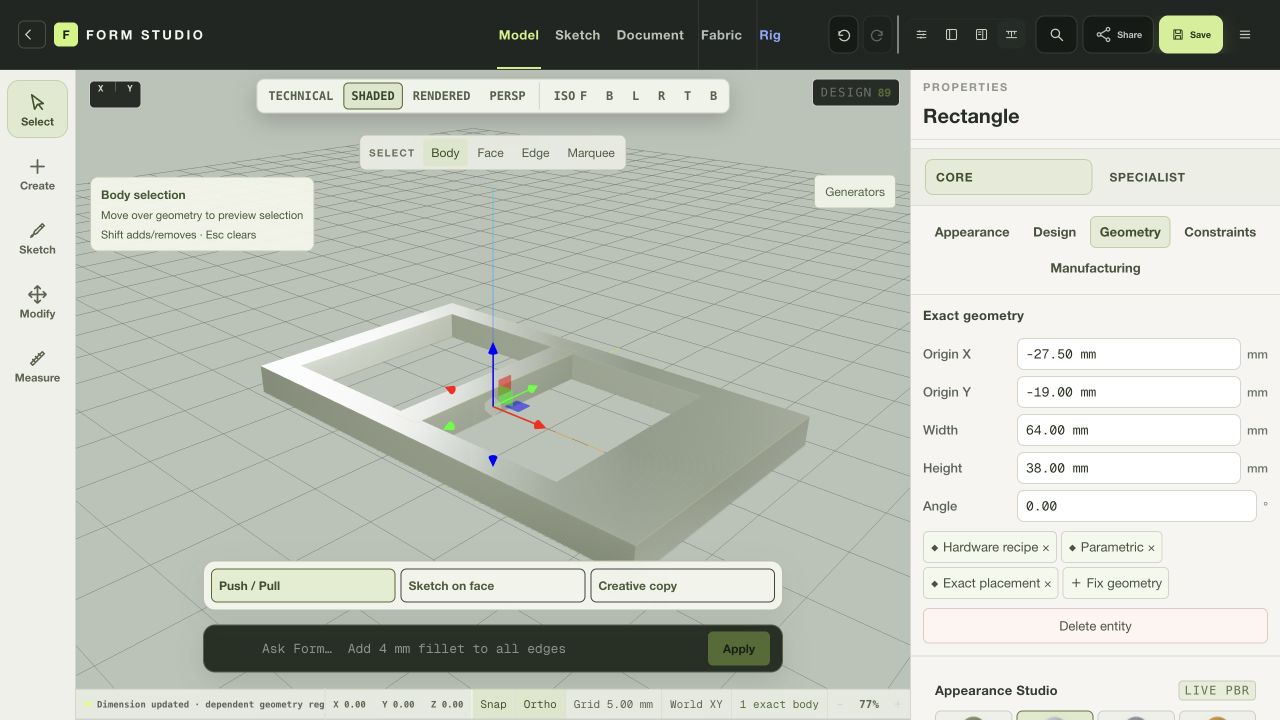
Changing the outer width to 64 mm preserves the openings and gives the right rail more weight. The geometry visibly updates in the same isometric view.
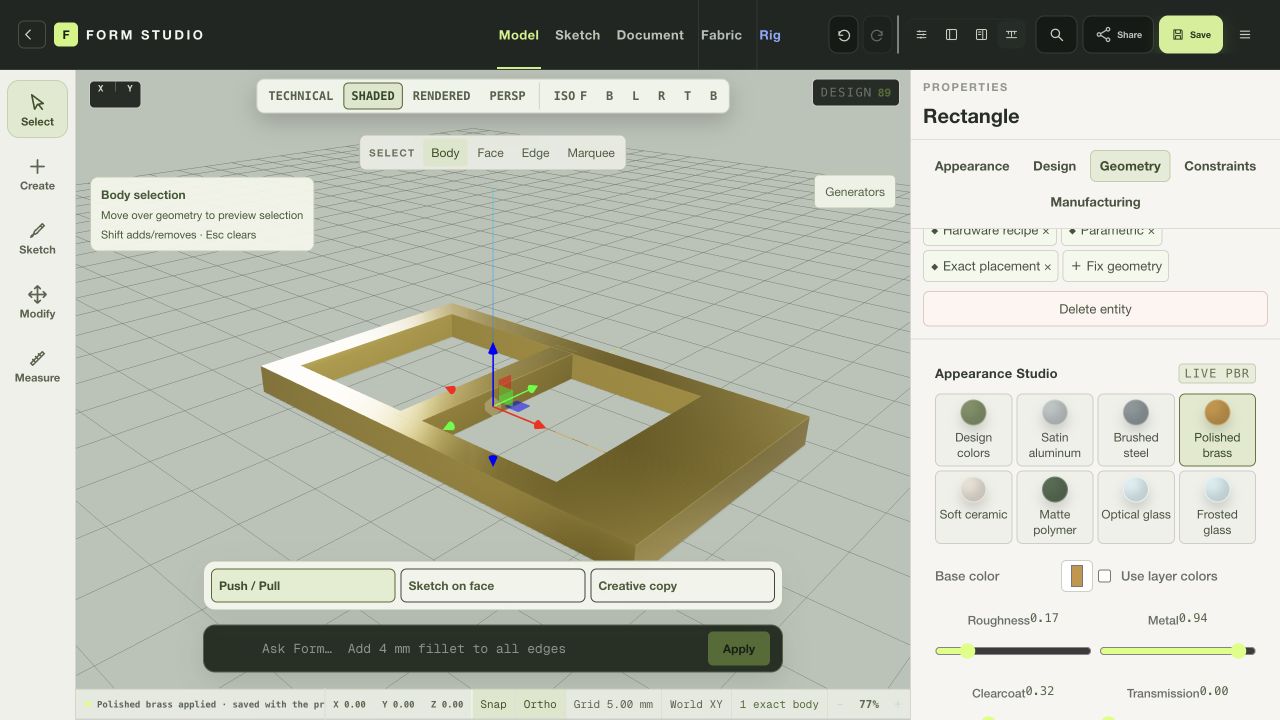
Polished brass changes the surface to a warmer finish, with roughness at 0.17 and metal at 0.94. The camera and geometry stay fixed for comparison.
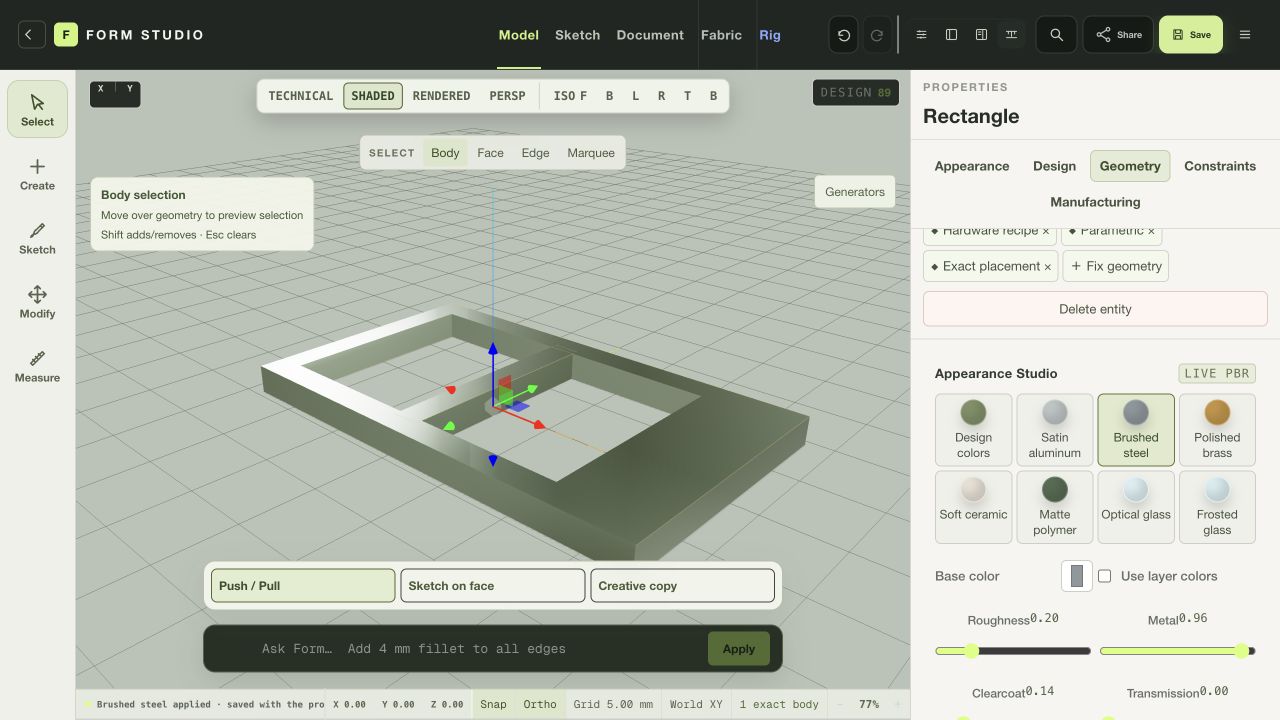
Brushed steel offers a cooler alternative. The finished state was saved as an editable Form project and exported to a verified PNG.
Actual browser session. The starter’s optional fillet failed and was suppressed; these views show the resulting rectangular geometry. This is a visual study, not manufacturing or fit validation.
Web editor / WORKFLOW GALLERY
Real sessions. Four useful moments. A closer look at what you can make.
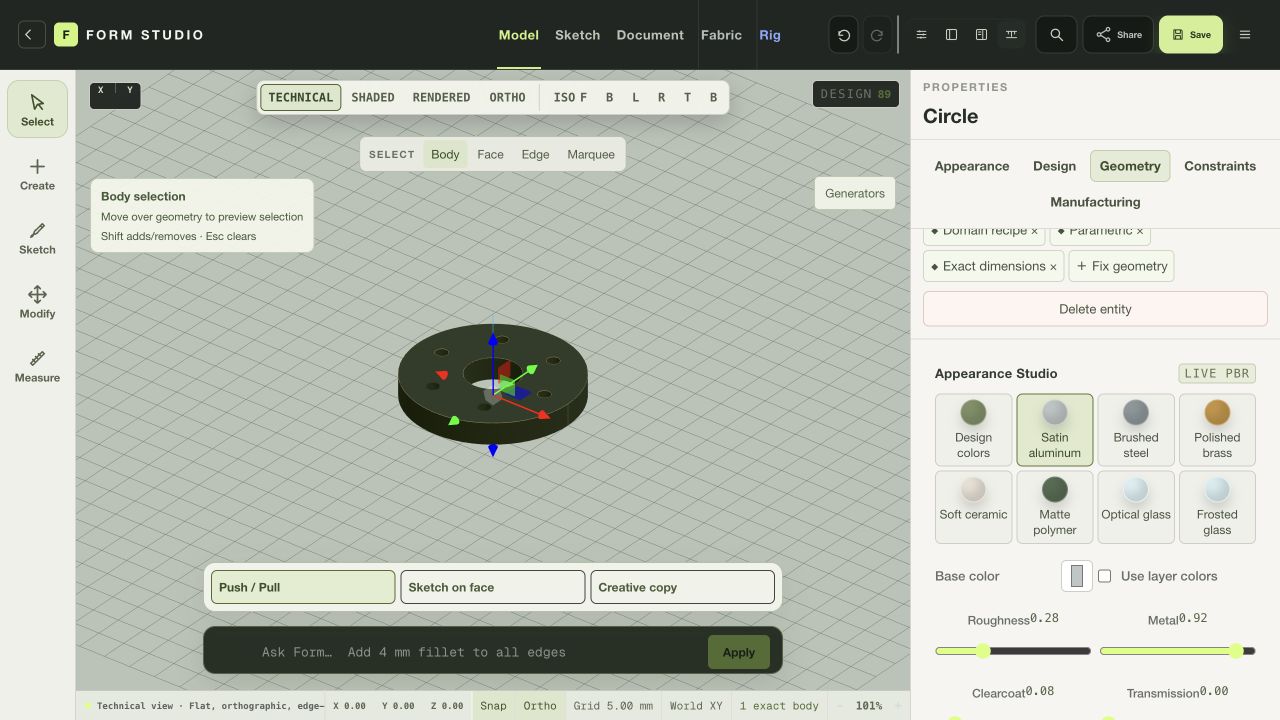
Inspect an original procedural flange in the technical view.
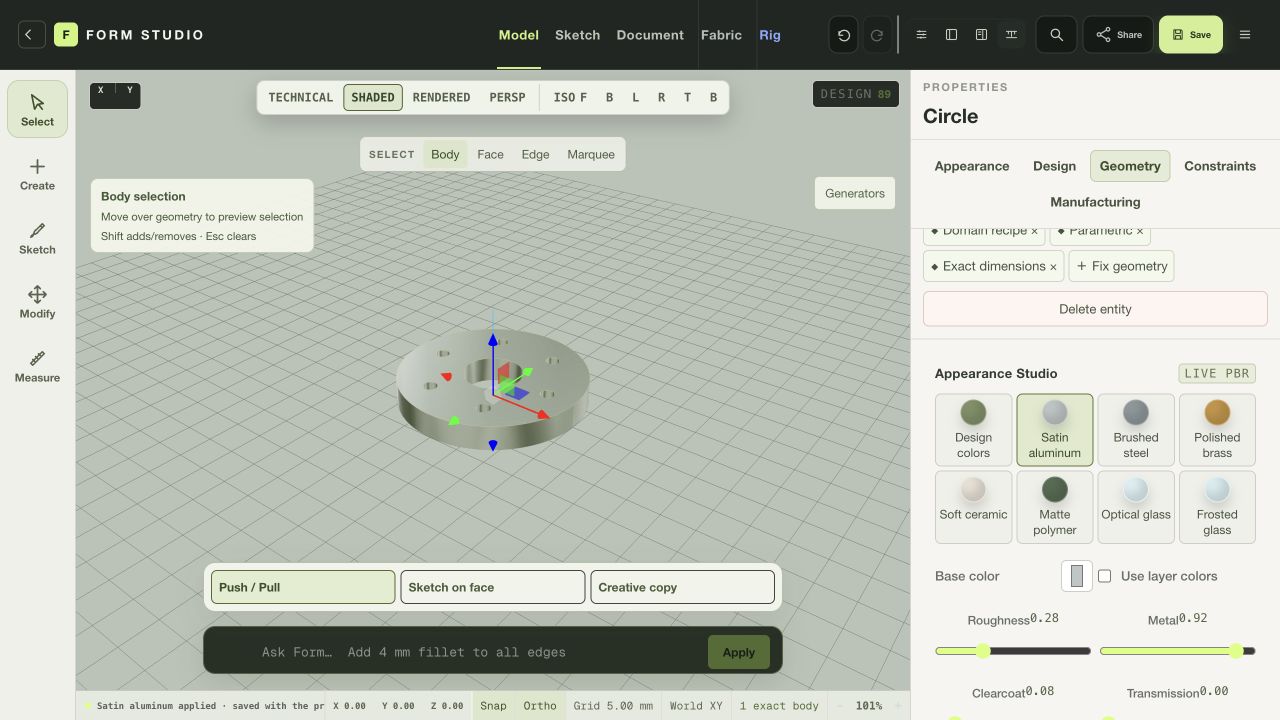
Compare a satin aluminum finish on the same editable part.
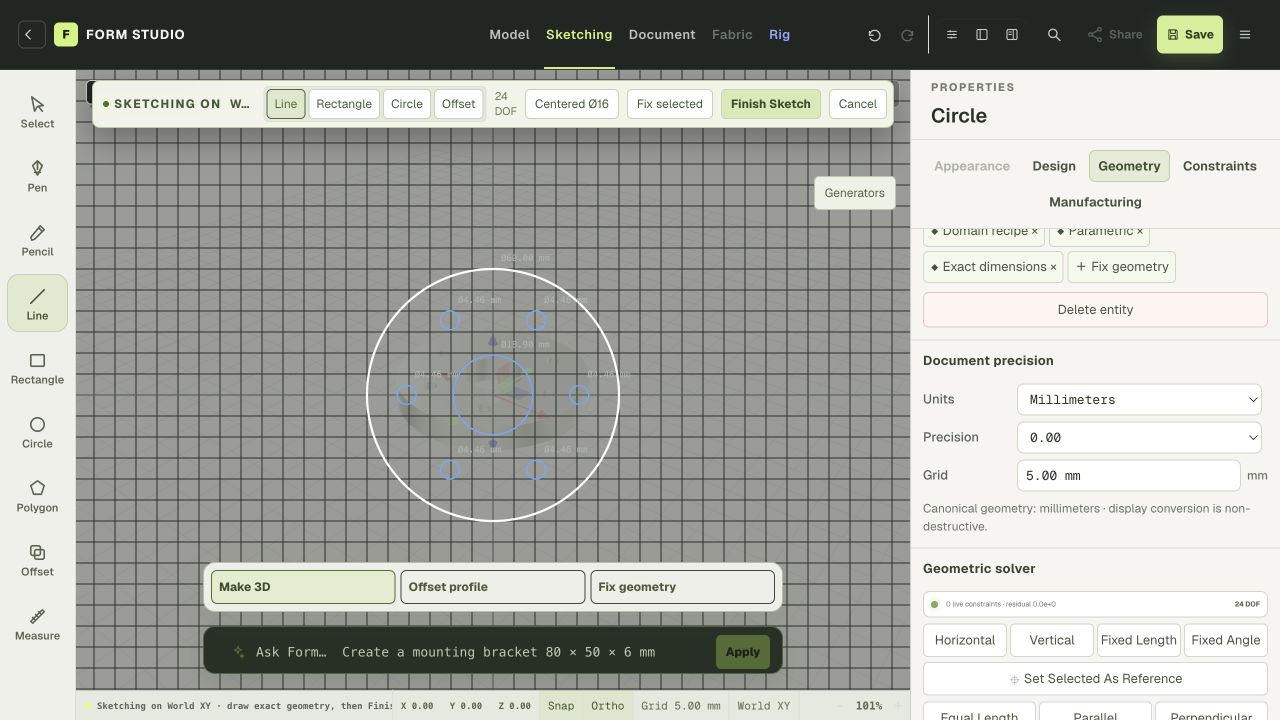
Move into the sketch workspace to develop the next detail.
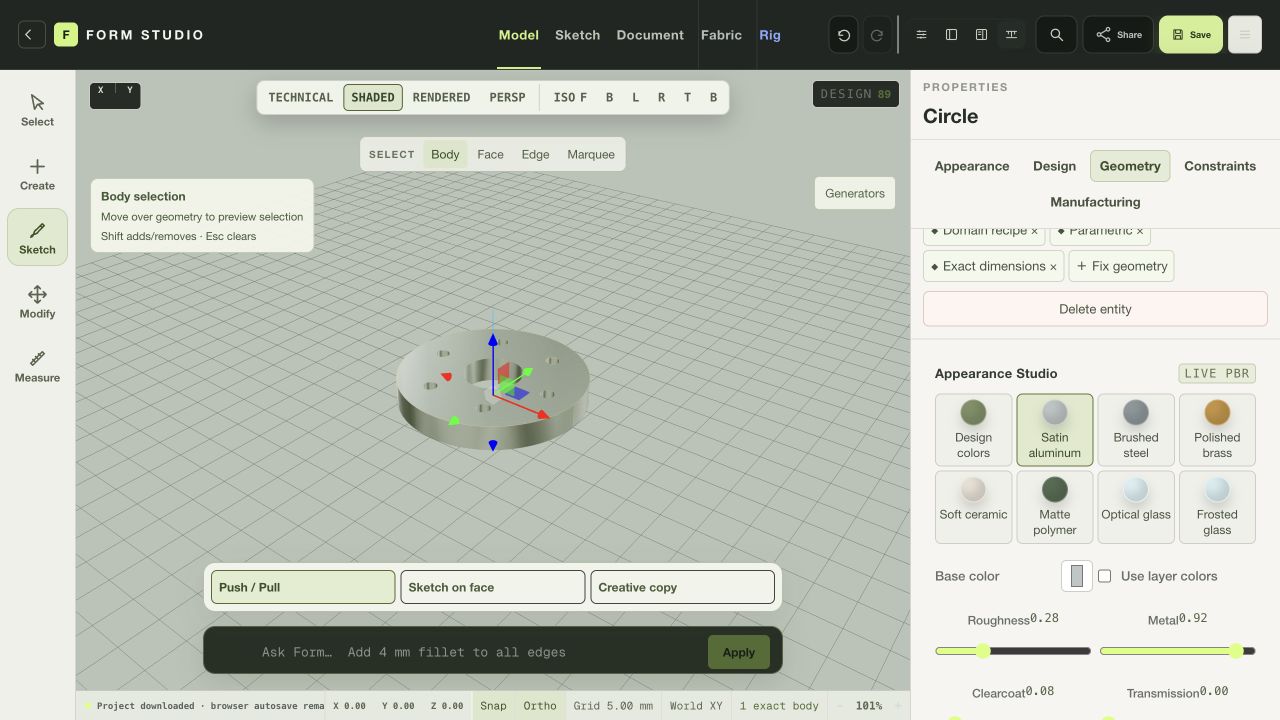
Save an editable project and explore the available export formats.
Browser geometry and exports vary from the native edition. These views do not qualify a part for manufacturing. Actual browser captures · September 29, 2026.
YOUR BROWSER EDITION
Create editable geometry, explore materials, and save a Form project in the browser.
Native geometry, simulation, filesystem integration and rendering differ from the web edition. Browser work is not certification for manufacturing, engineering or garment fit.
Mac release candidates are under review. Public download links are not available yet. No public iOS build is available.
THE FOUR-PRODUCT CREATIVE SUITE