01 / FILM STUDY
New rotation.
Spinning decks meet the instrument pattern. Balance Multiply and opacity, then find your own combination.
A DIRECT SPACE FOR MOVING IDEAS / ScenePilot
Find the first cut. Hold the shot that matters. Give the film your own pace.
Cut, blend, color and refine. One timeline. Your way of seeing.
Open the web studio Browser Lite · Public web alpha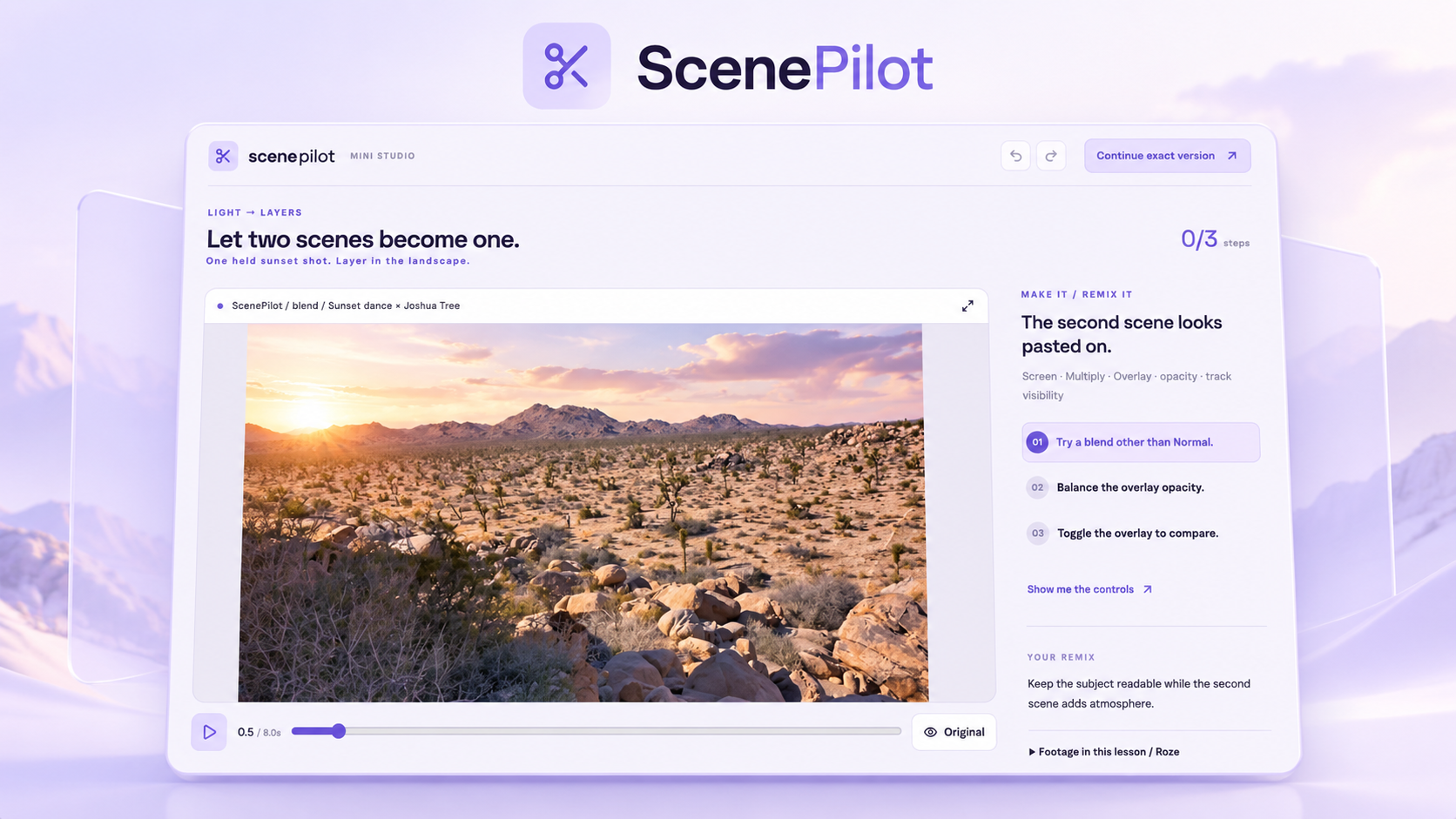
CUT / BLEND / COLOR / REFINE
MAKE IT YOURS / REAL EDITOR
Spin a deck into a campaign. Turn a pattern into a visual world. Frame a Momo teaser. Open a study below, then make it yours in the real ScenePilot editor.
Spinning decks meet the instrument pattern. Balance Multiply and opacity, then find your own combination.
Kaleidoscopic source footage becomes a moving color study. Find a grade that makes the composition yours.
Take the portrait Momo film into a social edit. Reframe the shot, keep the focal point, and save your version.
Three eight-second reference previews assembled with FFmpeg from your supplied films. Open a study to edit its source clips with native ScenePilot controls. The original motion graphics are baked into the footage. Source notes ↗
ScenePilot / REAL EDITOR
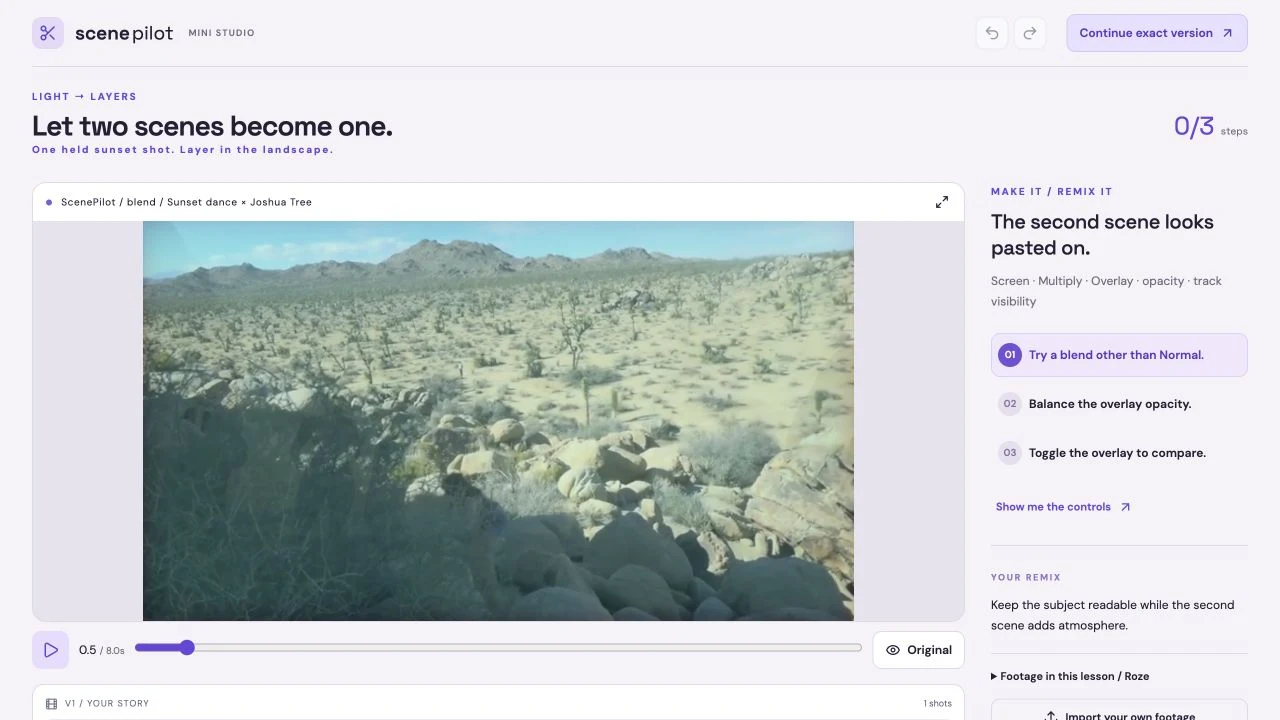
About ScenePilot ↗Choose Screen and balance the overlay opacity.
01 / THE WORKFLOW
Use the music to find a starting rhythm, then make deliberate choices about timing, atmosphere and composition.
Bring footage and audio into a project. The examples begin with actual Sophie Sky / Roze clips and a prepared soundtrack.
Media import / Source footage / AudioExplore a beat-aware AutoCut draft, then trim and refine. Keep longer shots where the film needs room to breathe.
AutoCut / Timeline editing / Shot timingBlend scenes, compare color treatments and add an editable title. Keep the cut map and source media for your next pass.
Blend modes / Color / Editable titlesRENDERED IN SCENEPILOT / COLOR
Explore eleven color effects on the same frame. Choose a strength, slide between original and result, then make your own treatment in the studio.
11 color effects
 ORIGINALPUNCH CONTRAST / 100%
RENDERED IN SCENEPILOT / Color
Expand tonal separation.
Drag the divider to compare.
Actual ScenePilot renders at three prepared strengths. Slide the comparison to explore the difference. Render details.
Try color in the real studioNo matching effects. Try a different search or choose all families.
11 built-in color effects · Three rendered strengths each. Photograph by Johannes Mändle / Unsplash. Explore the complete ScenePilot effect library ↗.
INSIDE SCENEPILOT
Find the rhythm of your footage, then shape the edit, sound, and motion.
20features to explore
Bring in audio and video and manage linked source files.
Try the browser workshop online. Initial editor and example assets require a network connection.
Try this feature ↗Analyze the soundtrack, generate an editable first cut, then refine its rhythm or hold a shot longer.
Try the browser workshop online. Initial editor and example assets require a network connection.
Try this feature ↗Preview a proposed cut before applying it to the active edit.
See release status for this edition. Offline operation is not confirmed for this capability.
Arrange, split, trim, move, and refine clips.
Try the browser workshop online. Initial editor and example assets require a network connection.
Try this feature ↗Mark source ranges and use supported insert, overwrite, and fit-to-fill workflows.
See release status for this edition. Offline operation is not confirmed for this capability.
Combine multiple video and audio tracks.
See release status for this edition. Offline operation is not confirmed for this capability.
Preserve supported picture/audio relationships during editing.
See release status for this edition. Offline operation is not confirmed for this capability.
Decoded waveforms, clip gain, panning, fades, crossfades, and volume automation.
See release status for this edition. Offline operation is not confirmed for this capability.
Supported speed changes, rate stretching, and professional trim operations.
See release status for this edition. Offline operation is not confirmed for this capability.
Apply and preview available transitions, effects, grading, and generated visuals.
Try the browser workshop online. Initial editor and example assets require a network connection.
Try this feature ↗Layer two scenes using Screen, Multiply or Overlay, then balance overlay opacity in the working browser lesson.
Online workshop; source footage loads over the network.
Try blending ↗Combine text, footage, shapes, and other layers in reusable compositions.
See release status for this edition. Offline operation is not confirmed for this capability.
Keyframes, easing, value graphs, motion controls, parenting, nulls, and precompositions.
See release status for this edition. Offline operation is not confirmed for this capability.
Build nested compositions, masks and mattes in Pro. The browser workshop has its own simpler two-scene blend controls.
See release status for this edition. Offline operation is not confirmed for this capability.
Person and object isolation paths, plus removal tools requiring shot-by-shot review.
See release status for this edition. Offline operation is not confirmed for this capability.
Speech transcription and transcript/caption editing workflows.
See release status for this edition. Offline operation is not confirmed for this capability.
Media bins, proxies, relinking, recovery history, and saved projects.
See release status for this edition. Offline operation is not confirmed for this capability.
Extension packs containing compositions, looks, and effect recipes.
See release status for this edition. Offline operation is not confirmed for this capability.
Browser Lite targets local 1080p H.264 delivery; Pro adds broader profiles, 4K workflows, and a persistent render queue.
See release status for this edition. Offline operation is not confirmed for this capability.
Supported WAV stem and OpenTimelineIO workflows.
See release status for this edition. Offline operation is not confirmed for this capability.
See how artwork, a jacket study and a Form clasp become an editable 18-second exhibition trailer, set to a StemDeck soundtrack.
Follow the edit. Choose a step to see what changed in the real workspace.
Editor screenshots · 4 stepsSTEP 1 / 4
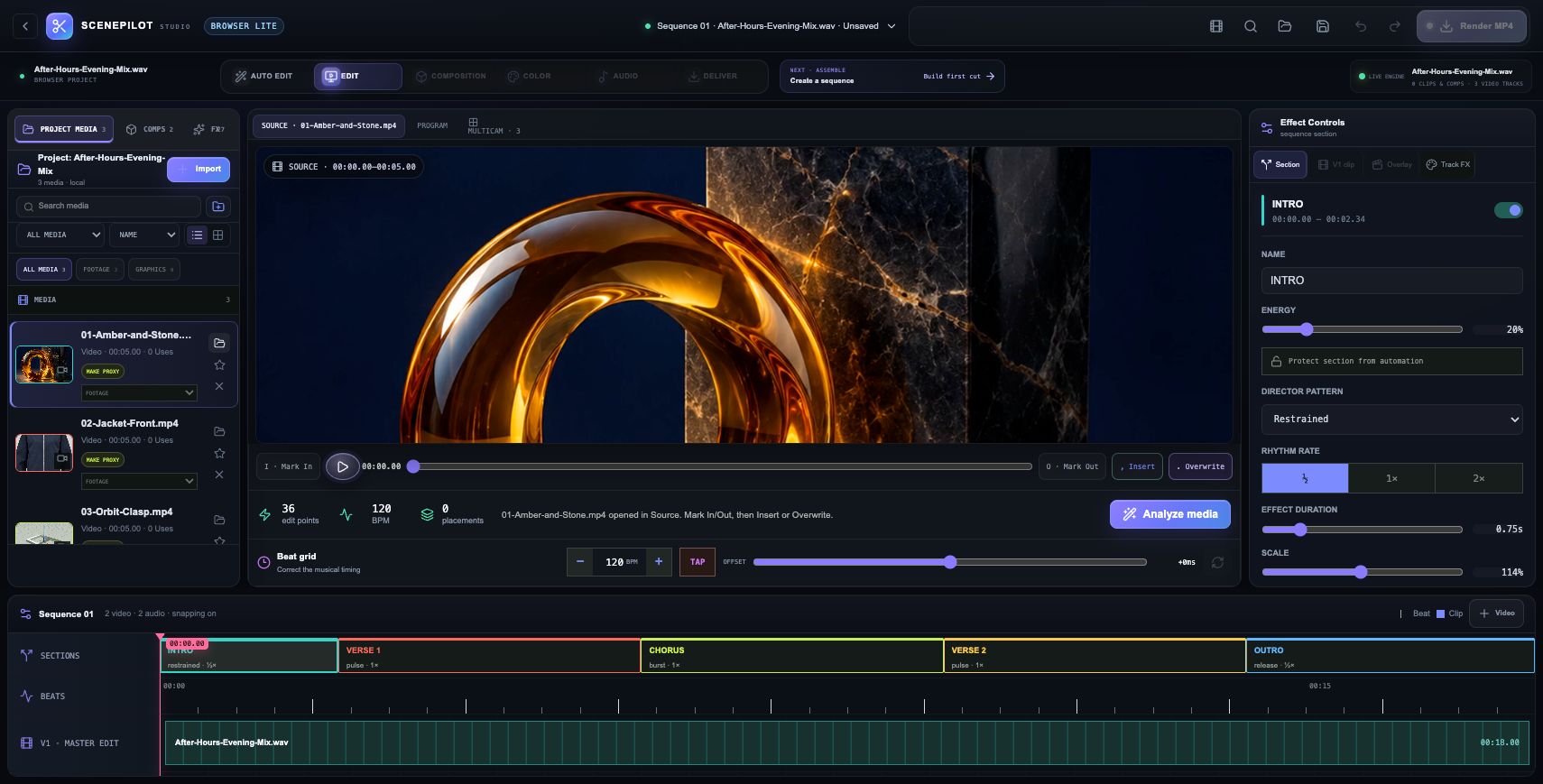
Start with three short clips: artwork made for Luma, a jacket reference from Ghost, and a clasp rendered in Form. Add the 18-second StemDeck mix as the soundtrack.
STEP 2 / 4
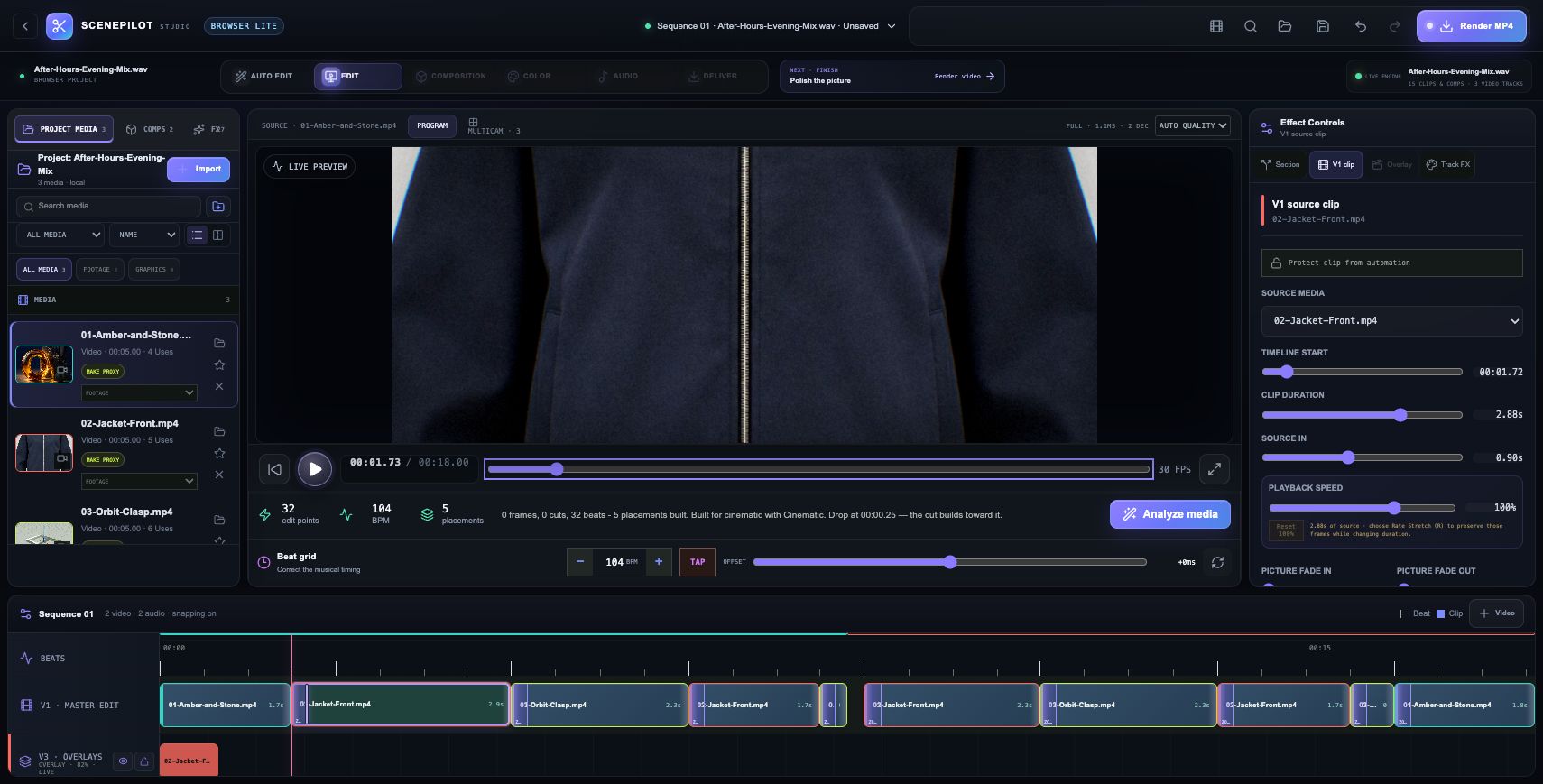
Let Cinematic mode analyze the soundtrack and suggest an arrangement. This project creates ten main cuts and five overlays. Every shot stays editable.
STEP 3 / 4
Replace the incoming Zoom transition with a 0.30-second Dissolve, then apply it across the main cuts. The scenes blend gently as each new shot arrives.
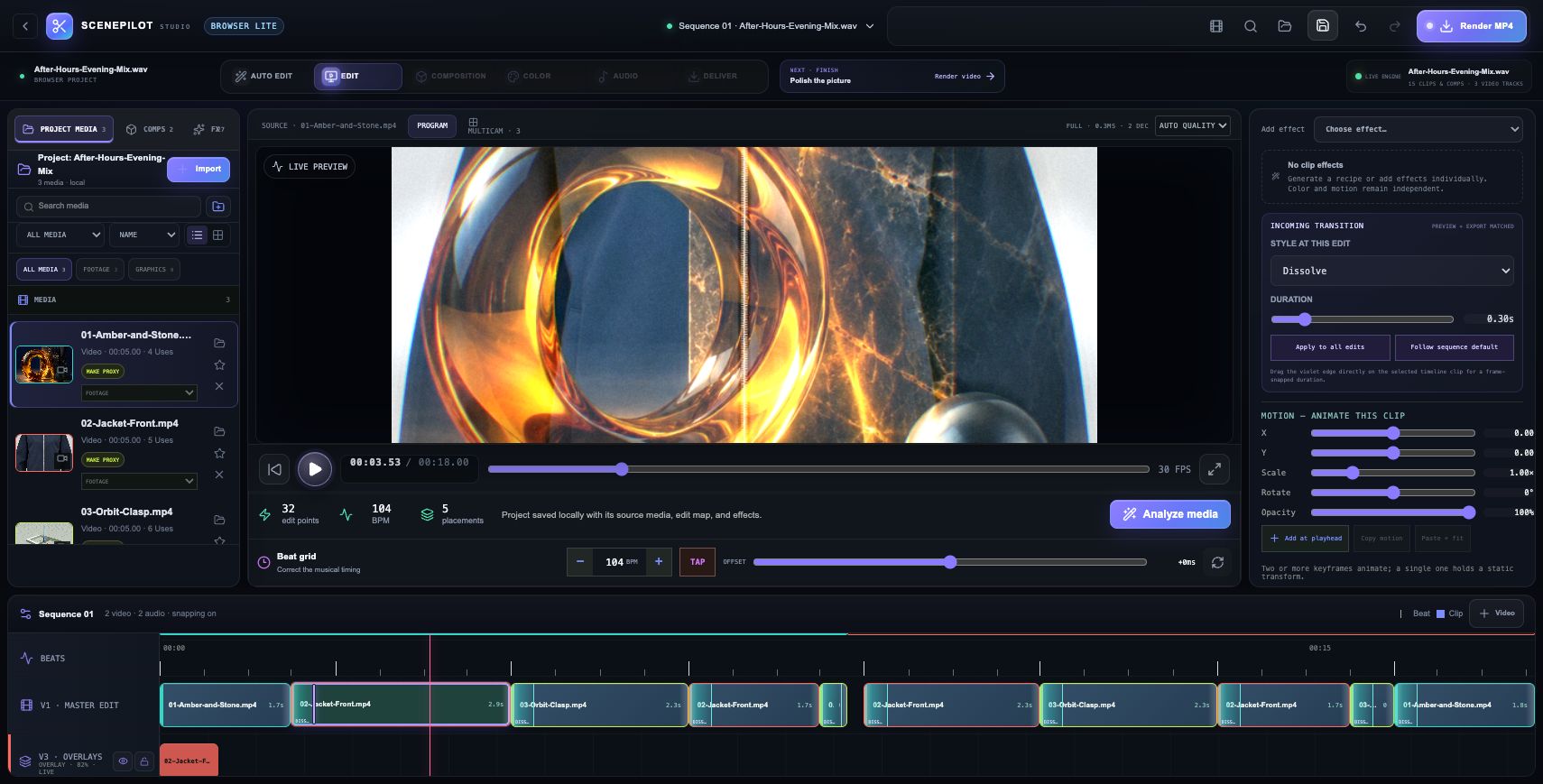
STEP 4 / 4
Save the project, then restore it in the same browser. The three source clips, soundtrack, 15 timeline items and effects return together. Export the cut file to keep the edit instructions.
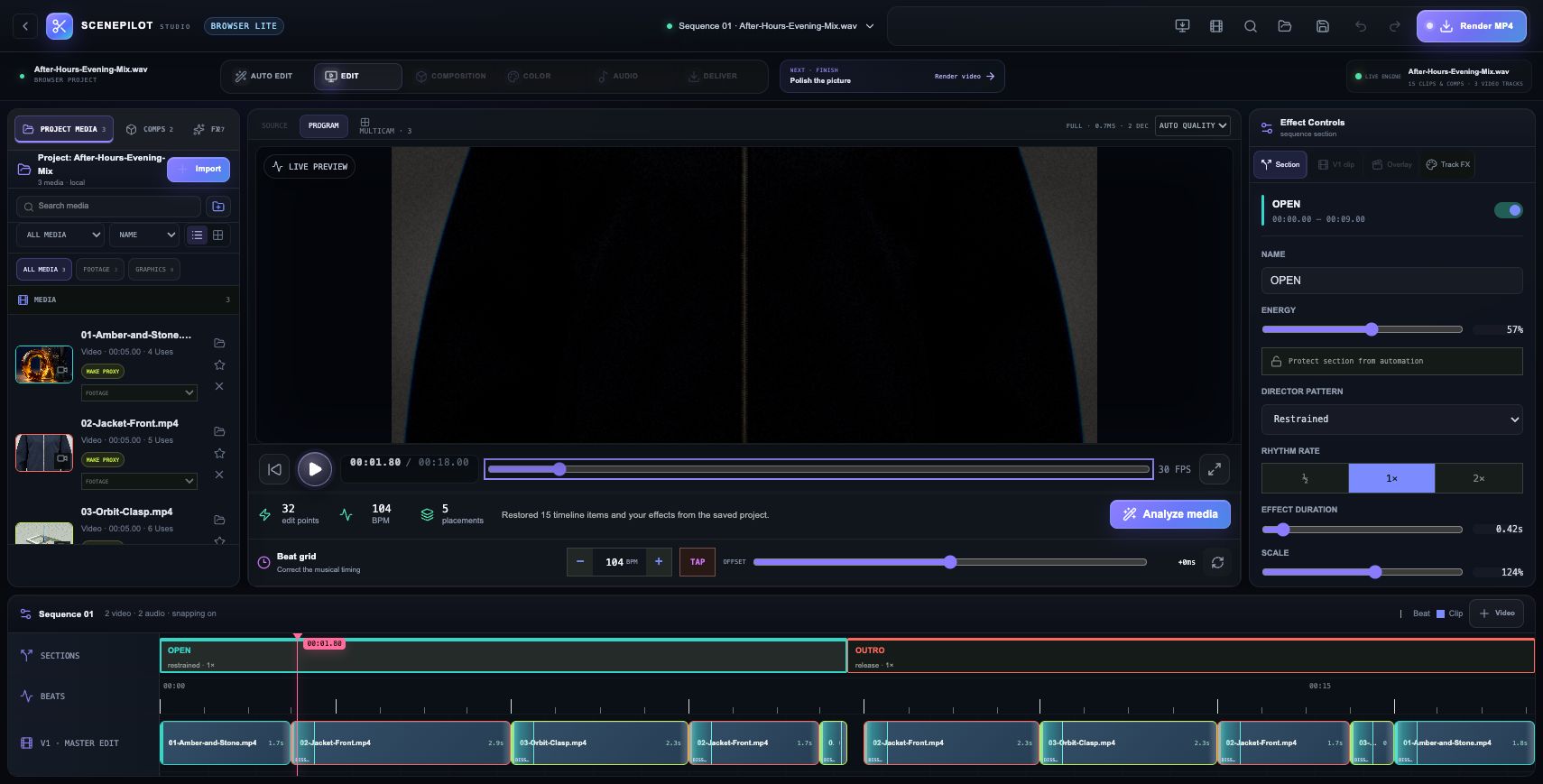
KEEP MAKING
The complete ZIP includes the editable cut, three MP4 source clips and the soundtrack. The cut file stores your editing choices; the media files supply the picture and sound.
Real screenshots from ScenePilot Browser Lite. The download contains the editable cut and its original source media. A finished trailer MP4 is not included.
Browser Lite / WORKFLOW GALLERY
Real sessions. Four useful moments. A closer look at what you can make.
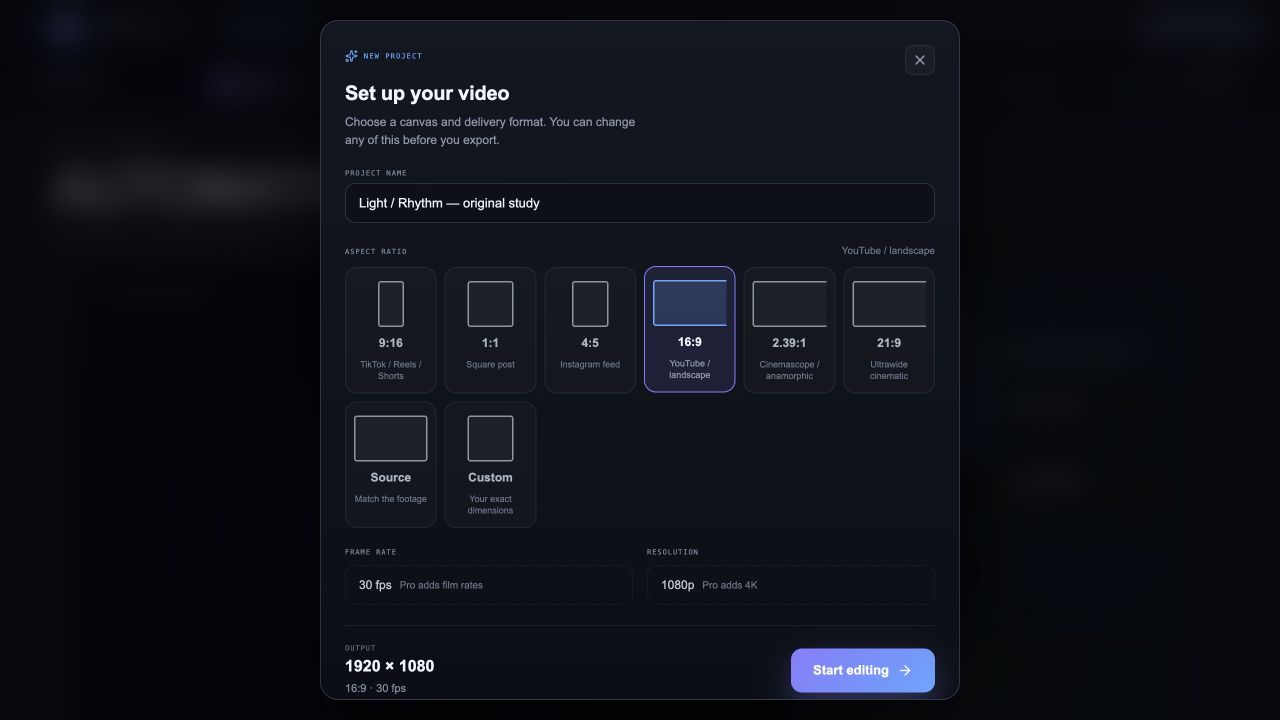
Choose an aspect ratio and begin a browser video project.
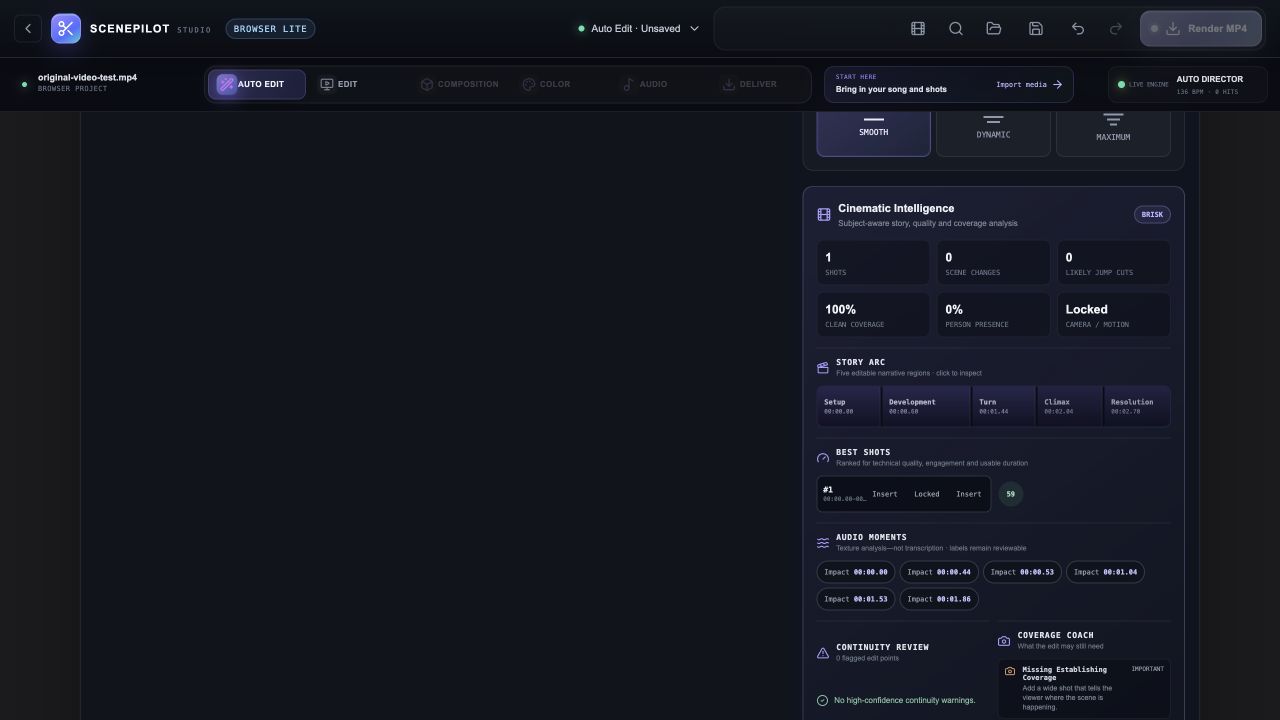
Analyze an original test clip to reveal timing and shot information.
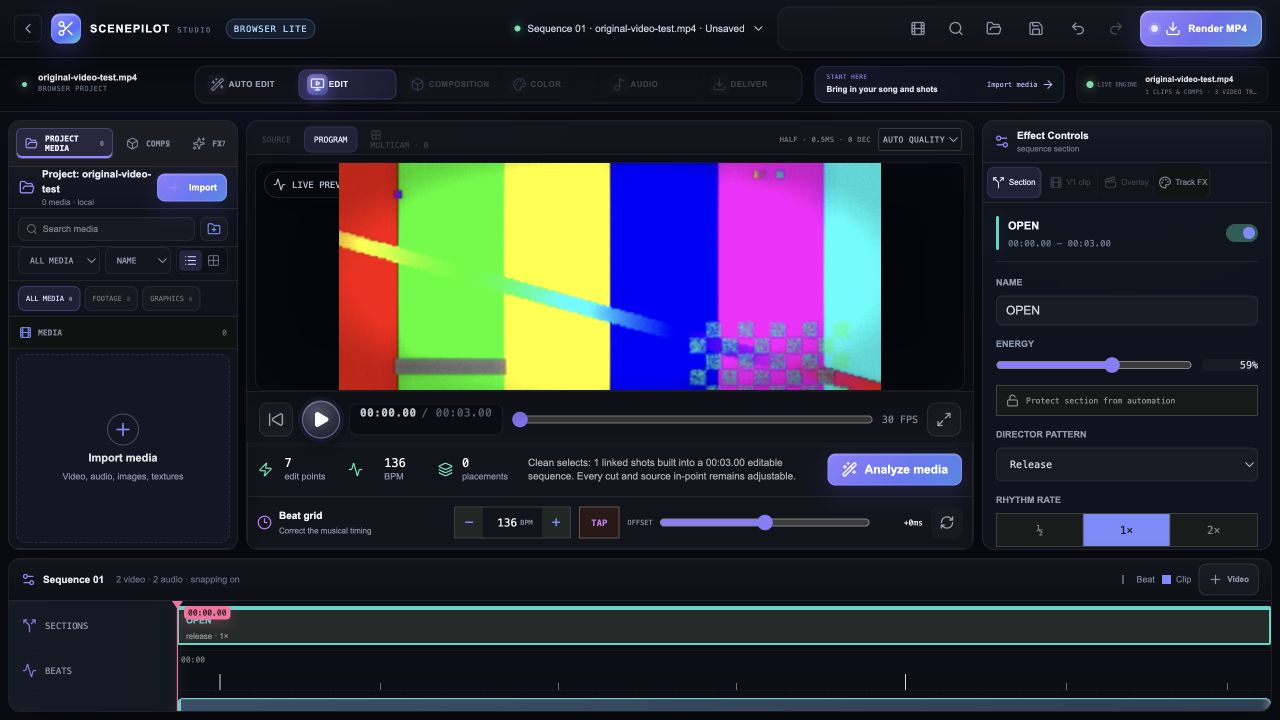
Continue with a normal editable timeline after analysis.
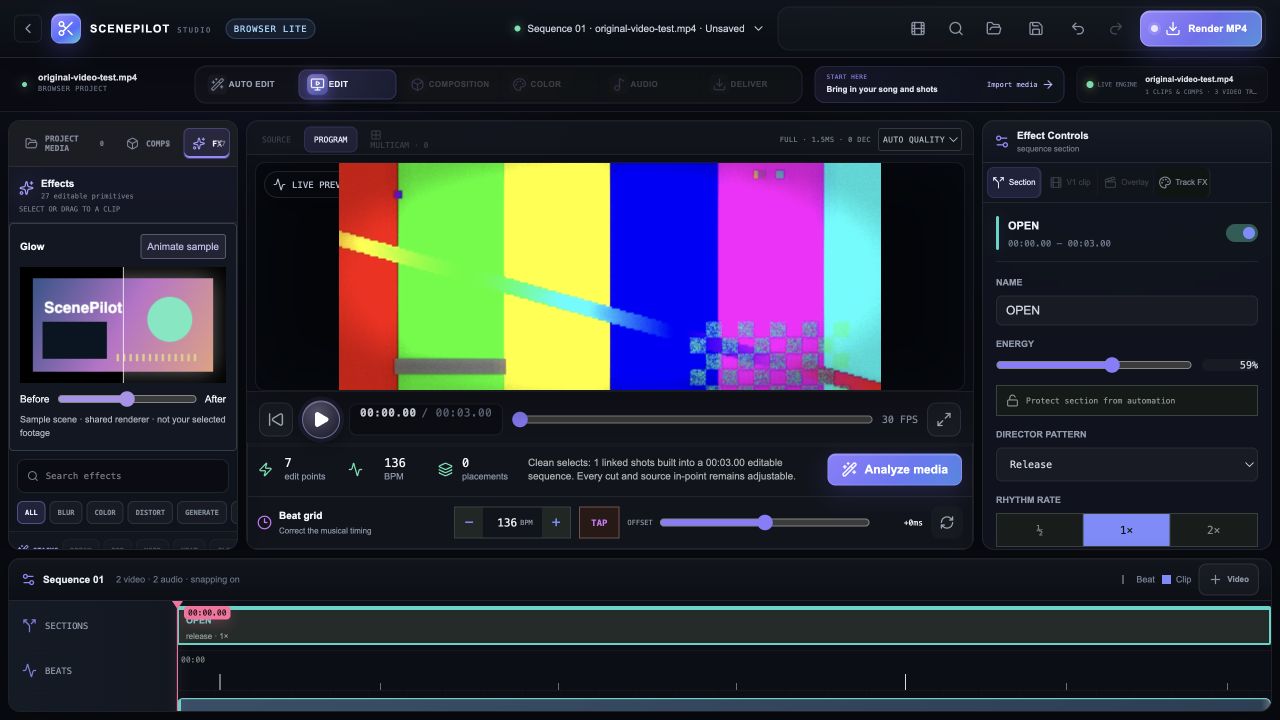
Inspect the available Browser Lite effects and editing controls.
Original synthetic test footage. These are Browser Lite captures; the full native Pro workspaces have a different feature set. Browser codec and export support varies. Actual browser captures · September 29, 2026.
YOUR BROWSER EDITION
Try the existing Browser Lite editor with your own media and a beat-aware edit.
Desktop Pro adds native media processing, inference and delivery features. Browser decoding and export depend on available codecs and memory. Native release qualification is incomplete; Intel is unqualified.
Mac release candidates are under review. Public download links are not available yet. No public iOS build is available.
THE FOUR-PRODUCT CREATIVE SUITE