thecreatingco / Apps & tools
Public web alphaCutout
Remove backgrounds and refine transparent images
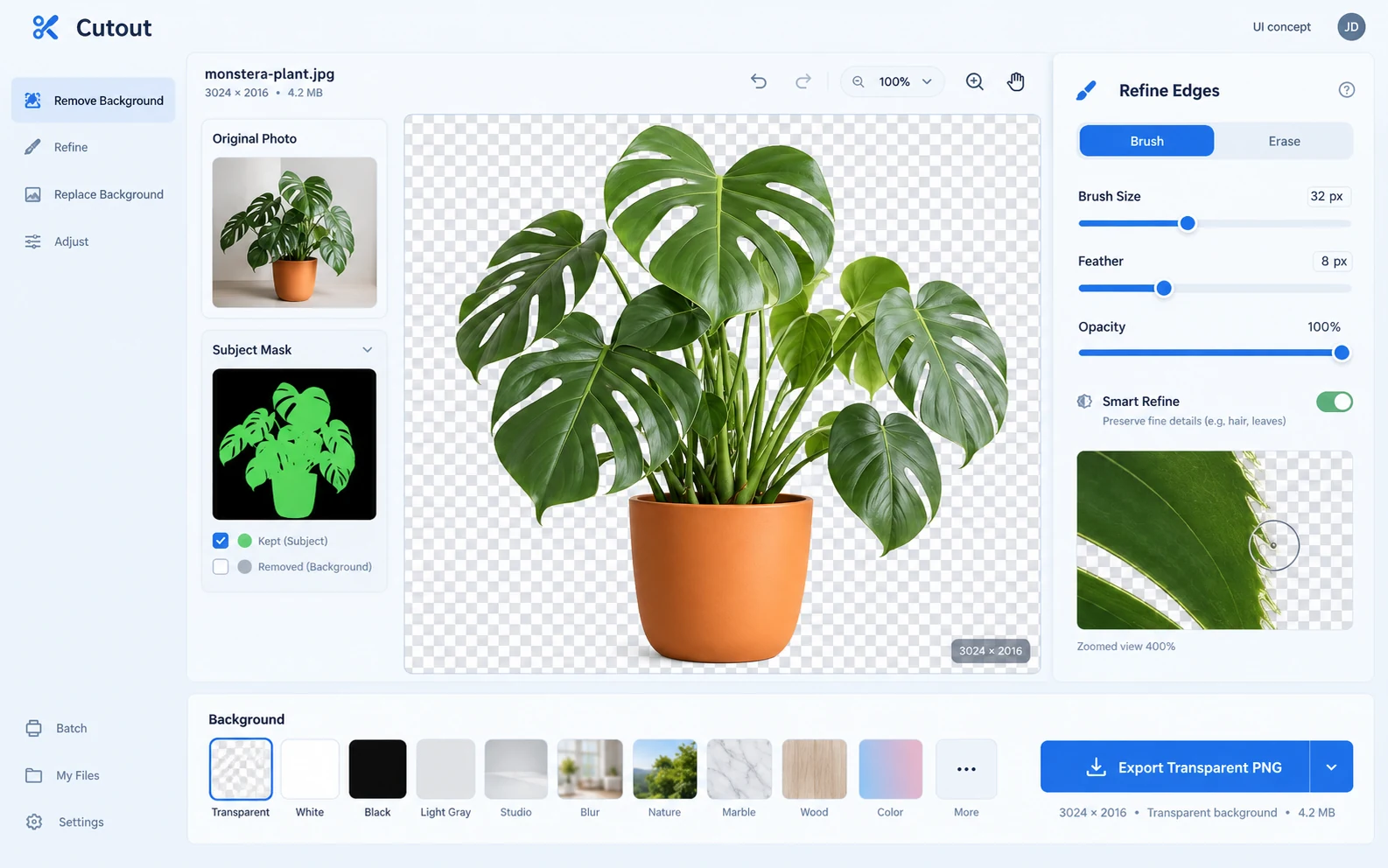
Cutout is the focused image tool for removing a background and refining a transparent image. Open the tool directly, then keep a separate copy of the result you want to use.
APPLICATION & DOWNLOADS
How to use Cutout.
Web tool · Public alpha
Open this app in your browser. No installer is needed.
Open in browser ↗Download availability
No public desktop or mobile installer is available for Cutout.
All apps & download statusSupport & feedbackA place to begin
Make your first move.
- Choose an image you have permission to edit. Start with a clear subject and a background you can distinguish from it.
- Remove the background and inspect fine edges, hair and gaps at a larger scale. Check the result over light and dark backgrounds.
- Use the export options currently available in the app. Choose a format that preserves transparency when you need a cutout rather than a flattened image.
Public alpha. The catalog lists PNG, JPEG and WebP inputs; this is not a guarantee that every file will decode. Review the exported edges before using the result.
Fine hair, translucent objects and difficult edges need review. Automatic background removal is not guaranteed to be perfect.
Declared input types: image/png, image/jpeg, image/webp
Declared inputs describe expected formats, not certified decoder coverage. Save a separate copy of important work.
Check availability & downloads ↗Try an original example
How to check a transparent PNG after background removal
Check alpha, halos and missed holes with an original Cutout test image, a transparent reference and practical edge troubleshooting.