thecreatingco / Apps & tools
Public web alphaMoodboard
Collect references and shape a visual direction
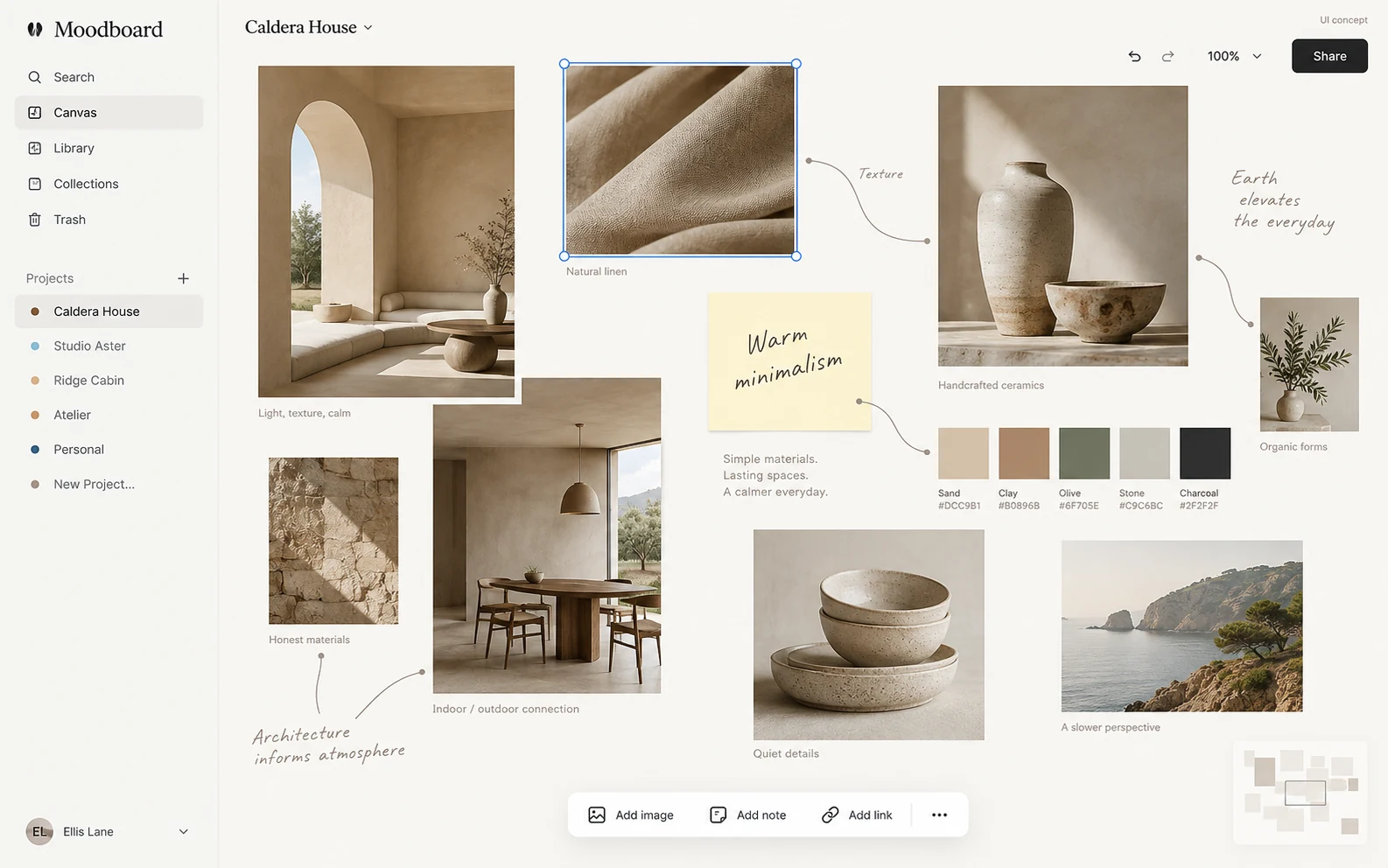
Collect visual references and shape a direction before creating the final work. Moodboard offers a browser canvas for comparing ideas.
APPLICATION & DOWNLOADS
How to use Moodboard.
Web app · Public alpha
Open this app in your browser. No installer is needed.
Open in browser ↗Download availability
No public desktop or mobile installer is available for Moodboard.
All apps & download statusSupport & feedbackA place to begin
Make your first move.
- Open a board and collect references you are allowed to use
- Arrange the references to compare color, mood and visual direction
- Review the board and preserve source links alongside your work
This is a public alpha. Keep reference rights and source attribution in mind, and check how the current workspace preserves your board.
Declared input types: Start in the workspace; this catalog does not declare file import types.
Declared inputs describe expected formats, not certified decoder coverage. Save a separate copy of important work.
Check availability & downloads ↗Work through a useful example
How to organise a moodboard with useful reference credits
A moodboard should explain a direction rather than collect attractive images indiscriminately. Give each reference a purpose and retain its source so you can revisit it.