thecreatingco.

The Circle / Connected experience

Public web alpha

Sessions

Shared listening rooms

Sessions is the shared listening experience in The Circle. Open the Sessions view to explore rooms and listen with other people; it is separate from StemDeck’s remix workspace.
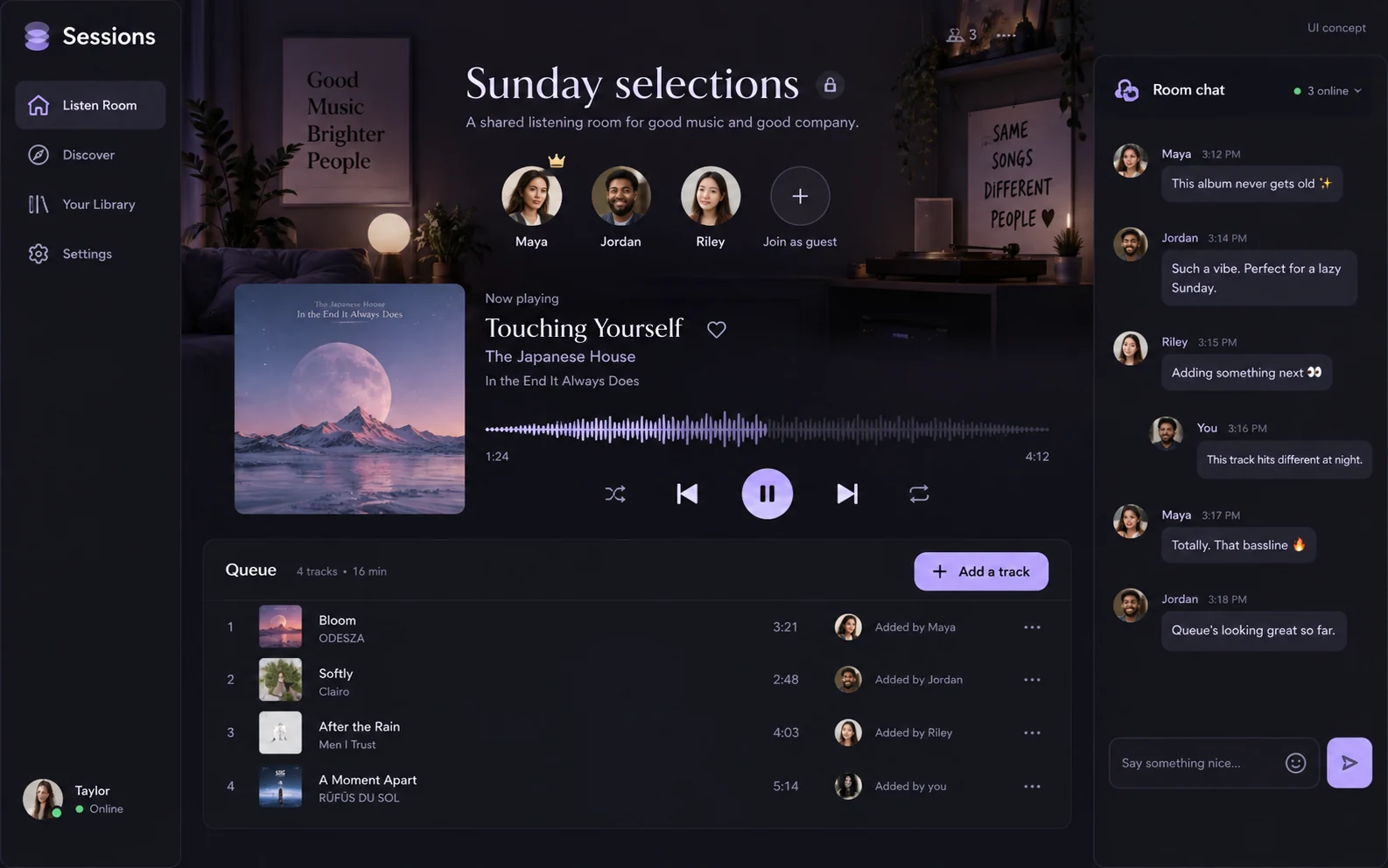
Sessions: proposed redesigned interface
UI design preview · Proposed interface. The current app may differ.

APPLICATION & DOWNLOADS

How to use Sessions.

Web app in The Circle · Public alpha

Opens The Circle’s Sessions area. Follow the entry screen to enter the community.

Open Sessions in The Circle ↗

Download availability

No public desktop or mobile installer is available for Sessions.

All apps & download statusSupport & feedback

A place to begin

Make your first move.

  1. Open Sessions in The Circle and choose the listening room you want to join. Guests can join Sessions.
  2. Read the room’s visibility and participation details before sharing anything. An unlisted room should not be treated as private.
  3. For music you want to edit yourself, use StemDeck. For local-file listening without a shared room, use Bounce.

Before you start

Current capabilities & limits.

Share feedback ↗

Public alpha. Accounts, shared media and room visibility follow The Circle’s privacy policy. Do not upload recordings or music without the rights to share them.

An unlisted room is not a private room. Only share media you have permission to use and review the room’s visibility.

Declared input types: Start in the workspace; this catalog does not declare file import types.

Declared inputs describe expected formats, not certified decoder coverage. Save a separate copy of important work.

Check availability & downloads ↗

Plan a shared listening session

  1. Choose one purpose: listen to a draft, compare two mixes or enjoy a short selection together.
  2. Open Sessions in The Circle and review the room’s visibility and participation details before joining.
  3. Explain what listeners should focus on—such as vocal balance, arrangement or the transition between sections.
  4. Keep feedback specific and retain the original audio in your own storage.

Guests can join Sessions. An unlisted room is not private, and a listening room is not a backup for your music.

Where do you want to go?

Make 12 entries

Cast

Jewelry casting checks · Web preview in Form · Open Form Studio and choose Cast in the left toolbar. Experimental model checks and estimates are not manufacturing certification.

Open Form for Cast: CastDetails: Cast
Luma

Layered image editor · Web studio · Open the browser image editor. Native RAW processing and desktop printing are separate capabilities.

Open in browser: LumaDetails: Luma
Ghost

Garment photos to 3D · Web app · Mac early access · Open the web garment studio. Photo-based models are visual approximations, not measured fit or sewing patterns.

Open in browser: GhostDetails: Ghost
WebLab

Build a single web page with visual blocks and HTML/CSS output · Web preview · Browser prototype. No autosave or project reopening; keep a copy of your HTML and CSS before leaving.

Open web preview: WebLabDetails: WebLab

Film 7 entries

Music 7 entries

Everyday 5 entries

Bounce

Player for your music · Browser companion · Play your own audio in the browser companion. Native folder scanning, tag reading and the desktop audio engine are separate.

Open browser player: BounceDetails: Bounce
Converter

Convert documents, images, audio, video, spreadsheets and archives · Web alpha · Convert files in your browser with batch downloads and on-device processing. Check Supported formats in Converter for current conversion limits.

Open Converter: ConverterDetails: Converter

Locker 1 entry

The Circle 5 entries

NOW Messenger

Live rooms, video, PictoChat and private messaging · Web app · Bring your Community profile into NOW through the shared sign-in handoff. Earlier conversations remain in their original inboxes. Messages are not end-to-end encrypted.

Open NOW Messenger: NOW MessengerDetails: NOW Messenger

37 app and tool entries.