thecreatingco / Apps & tools
Public web alphaLoop
Turn a clip into a short video loop
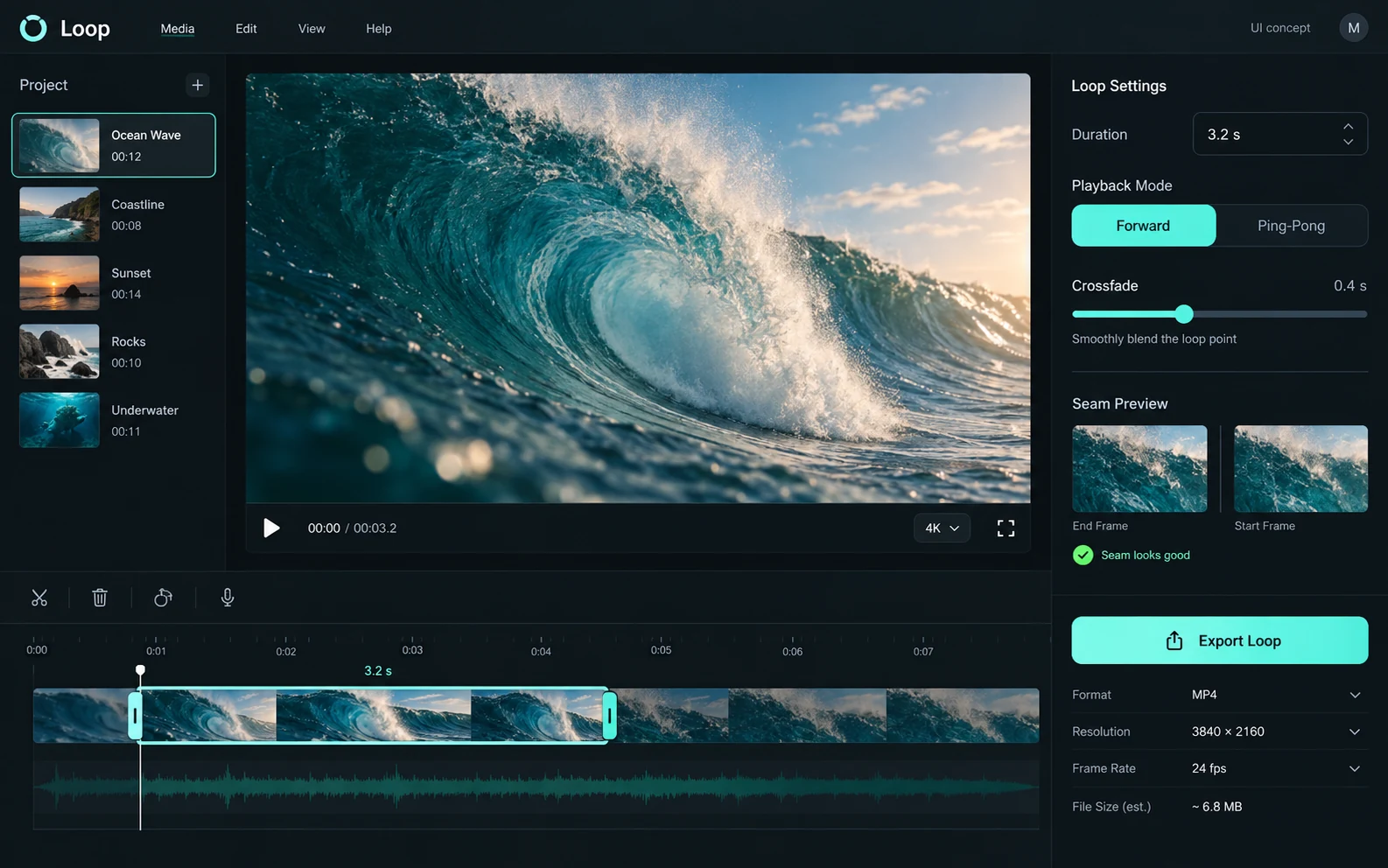
Loop is a focused ScenePilot tool for turning a clip into a short video loop. Use it when you have one moment to repeat, rather than a full film to arrange.
APPLICATION & DOWNLOADS
How to use Loop.
Web tool · Public alpha
Open this app in your browser. No installer is needed.
Open in browser ↗Download availability
No public desktop or mobile installer is available for Loop.
All apps & download statusSupport & feedbackA place to begin
Make your first move.
- Pick a short source clip and identify the motion you want to repeat. Keep a copy of the original file.
- Choose a loop segment and preview the point where the ending returns to the beginning. Look for a jump in motion, lighting or camera position.
- Use the app’s available output controls and watch the saved result through several repetitions. Check its dimensions and timing for your intended destination.
Public alpha. Video input compatibility and export behavior can vary by browser. The catalog does not qualify automatic Locker handoff.
A smooth repeat depends on the source motion and chosen endpoints. Browser playback and encoding limits still apply.
Declared input types: video/*
Declared inputs describe expected formats, not certified decoder coverage. Save a separate copy of important work.
Check availability & downloads ↗Work through a useful example
How to find and check a video loop seam
A loop needs more than a convenient duration. The motion, framing and sound at the end must reconnect with the beginning without an obvious jump.