thecreatingco / Apps & tools
PreviewCast
Jewelry casting checks
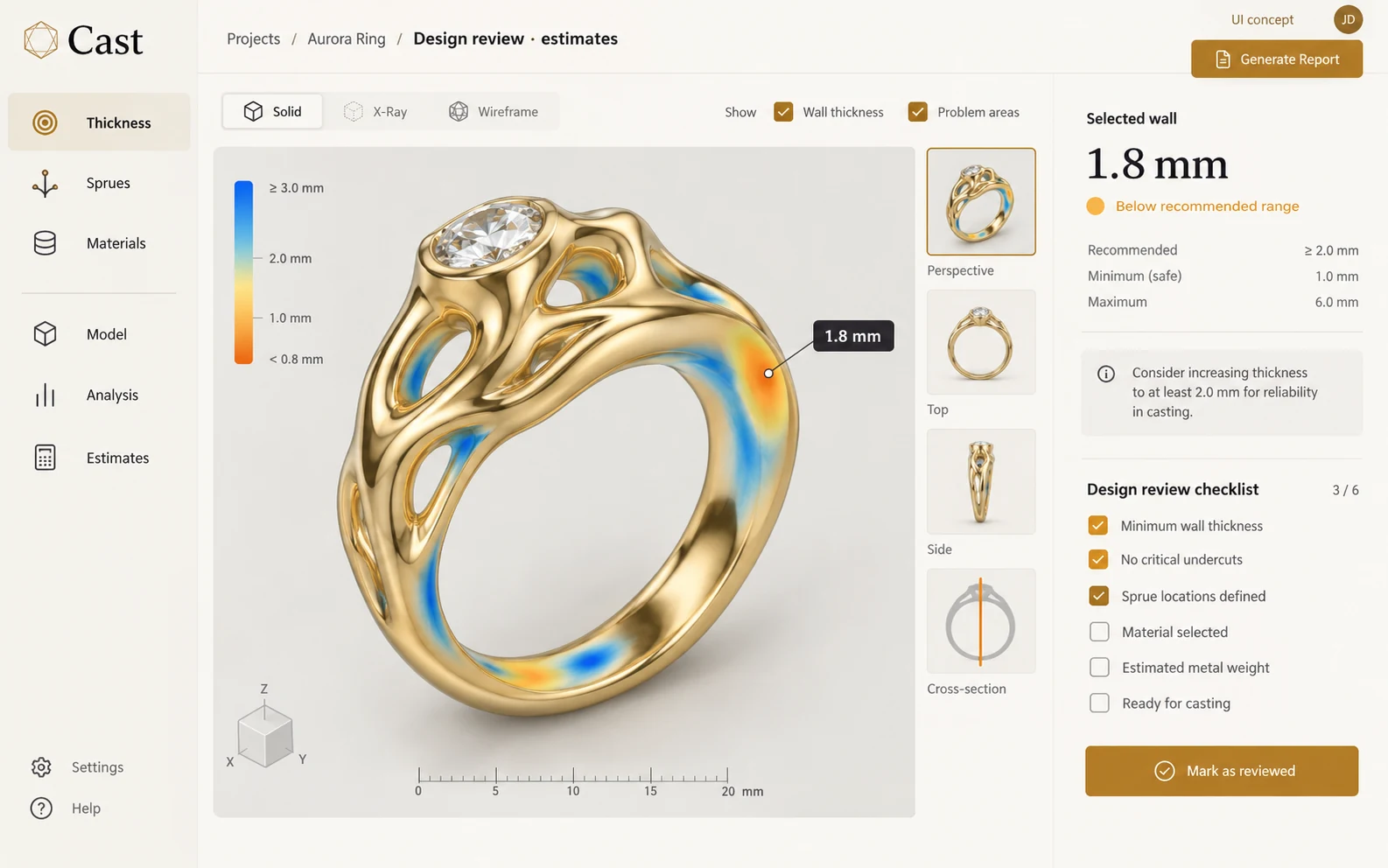
Review a jewelry model before discussing it with a caster. Cast is a focused preview inside the Form review studio.
APPLICATION & DOWNLOADS
How to use Cast.
Web preview in Form · Preview
Opens the Form review studio. Close its Start Center if shown, then select Cast in the left toolbar. Preview checks are not manufacturing certification.
Open Form for Cast ↗Download availability
No public desktop or mobile installer is available for Cast.
This tool runs inside its parent app and does not have a separate installer.
All apps & download statusSupport & feedbackA place to begin
Make your first move.
- Close the Form review Start Center if shown, then choose Cast in the left toolbar
- Bring in a supported STL, GLB or OBJ model
- Inspect the available checks and discuss the model with your manufacturer
A preview is not manufacturing certification. Material, process and final casting approval belong with your manufacturer.
Where to start: Opens the Form review studio. Close its Start Center if shown, then select Cast in the left toolbar. Preview checks are not manufacturing certification.
Declared input types: model/stl, model/gltf-binary, model/obj, .stl, .glb, .obj
Declared inputs describe expected formats, not certified decoder coverage. Save a separate copy of important work.
Check availability & downloads ↗Work through a useful example
How to review a photo-to-3D study against its source
Photo-based 3D studies need a silhouette check before detail distracts you. Separate what the photograph shows from what a reconstruction guesses about hidden surfaces.