Apps & tools / Web design Preview
WebLab
A page of your own. Code you can keep.
Shape a single web page with visual blocks, edit its words and colors, and inspect the HTML and CSS behind it.
Early prototype. No autosave or project reopening. Keep a copy of your generated code before leaving.
APPLICATION & DOWNLOADS
How to use WebLab.
Web preview · Preview
Browser prototype. No autosave or project reopening; keep a copy of your HTML and CSS before leaving.
Open web preview ↗Download availability
No public desktop or mobile installer is available for WebLab.
All apps & download statusSupport & feedback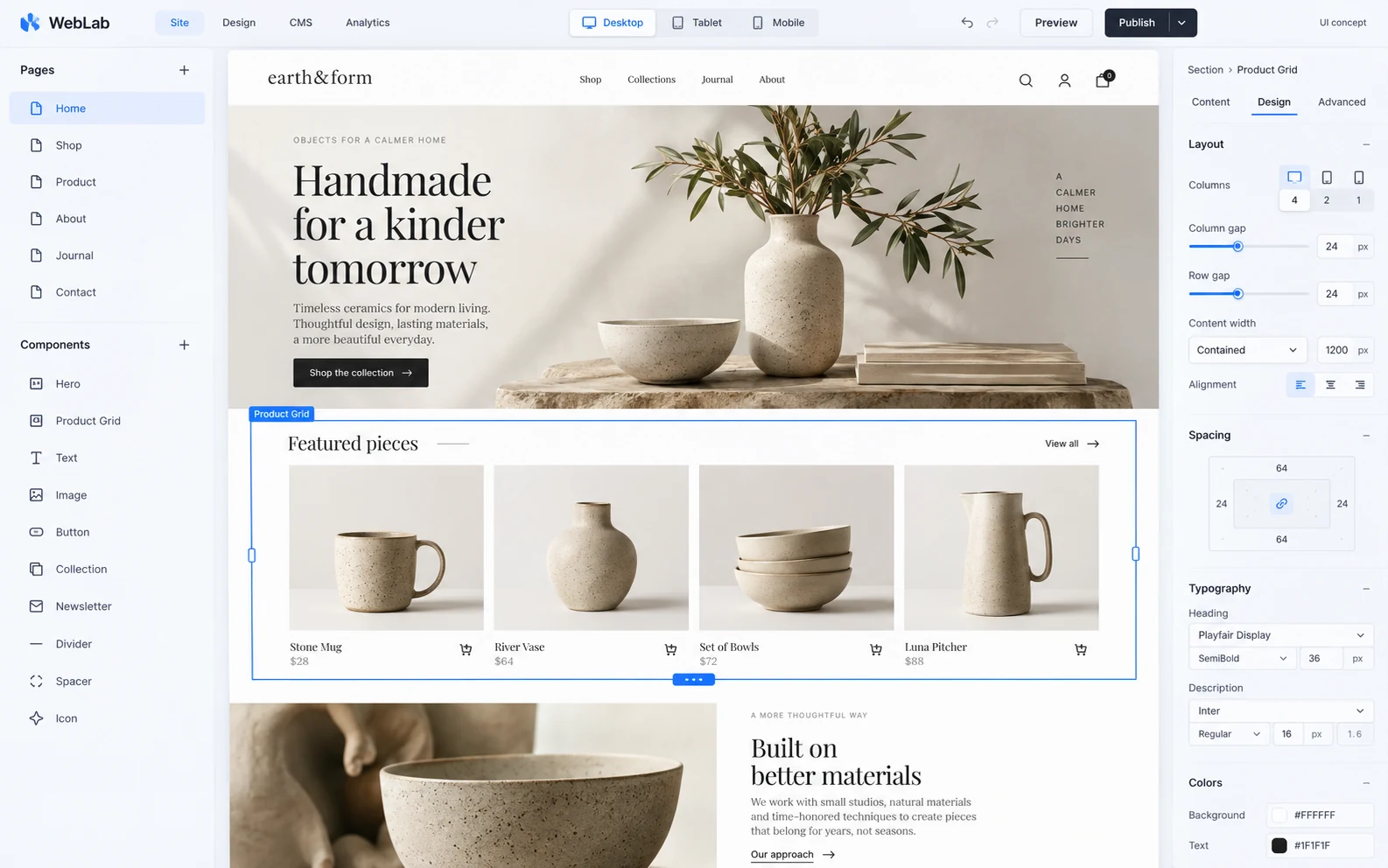
Build with blocks.
Combine a hero, headings, text, buttons, image placeholders and cards.
Make it yours.
Edit the text, background color and alignment of each block. Compare desktop, tablet and phone canvas widths.
See the code.
Inspect the generated HTML and CSS. The prototype includes an HTML export control; it does not publish or host your page.
Where we are today
A small beginning, openly shared.
WebLab is a visual website-building experiment, not a finished replacement for a production website builder.
- One page at a time. No multipage projects, saved-project recovery or code import.
- Image blocks are placeholders; image uploads are not available.
- No automatic publishing, custom-domain connection or Locker handoff.
- Editing and generated code have been checked. Download completion and physical-device behavior still need qualification.
This is the visual builder. Website Checkup is the separate tool for inspecting links, metadata and forms.
Workflow, inputs & compatibility
WebLab · preview
Visual Web Page Builder Preview
Arrange a one-page design visually and keep the resulting HTML and CSS. WebLab is a prototype for exploring page structure.
A practical starting workflow
- Start a page and arrange the available visual blocks
- Inspect the design and generated code
- Copy your HTML and CSS before leaving the workspace
Before you rely on it
There is no autosave or project reopening in this preview. WebLab does not host a website; keep your code separately.
Where to start: Prototype. No autosave or project reopening; keep a copy of your code before leaving.
Declared input types: Start in the workspace; this catalog does not declare file import types.
Declared inputs describe expected formats, not certified decoder coverage. Save a separate copy of important work.
Related workflows
Work through a useful example
How to keep HTML and CSS from a visual page prototype
A prototype is only recoverable if you keep its actual code. Test a very small page first and save both markup and styles before leaving the editor.