The Circle / Connected experience
Public web alphaPocket Studio
Voice memos & sharing
Pocket Studio is The Circle’s local audio recorder for voice memos, melodies and sounds. It is distinct from Sattari Pocket, the beat sketchpad.
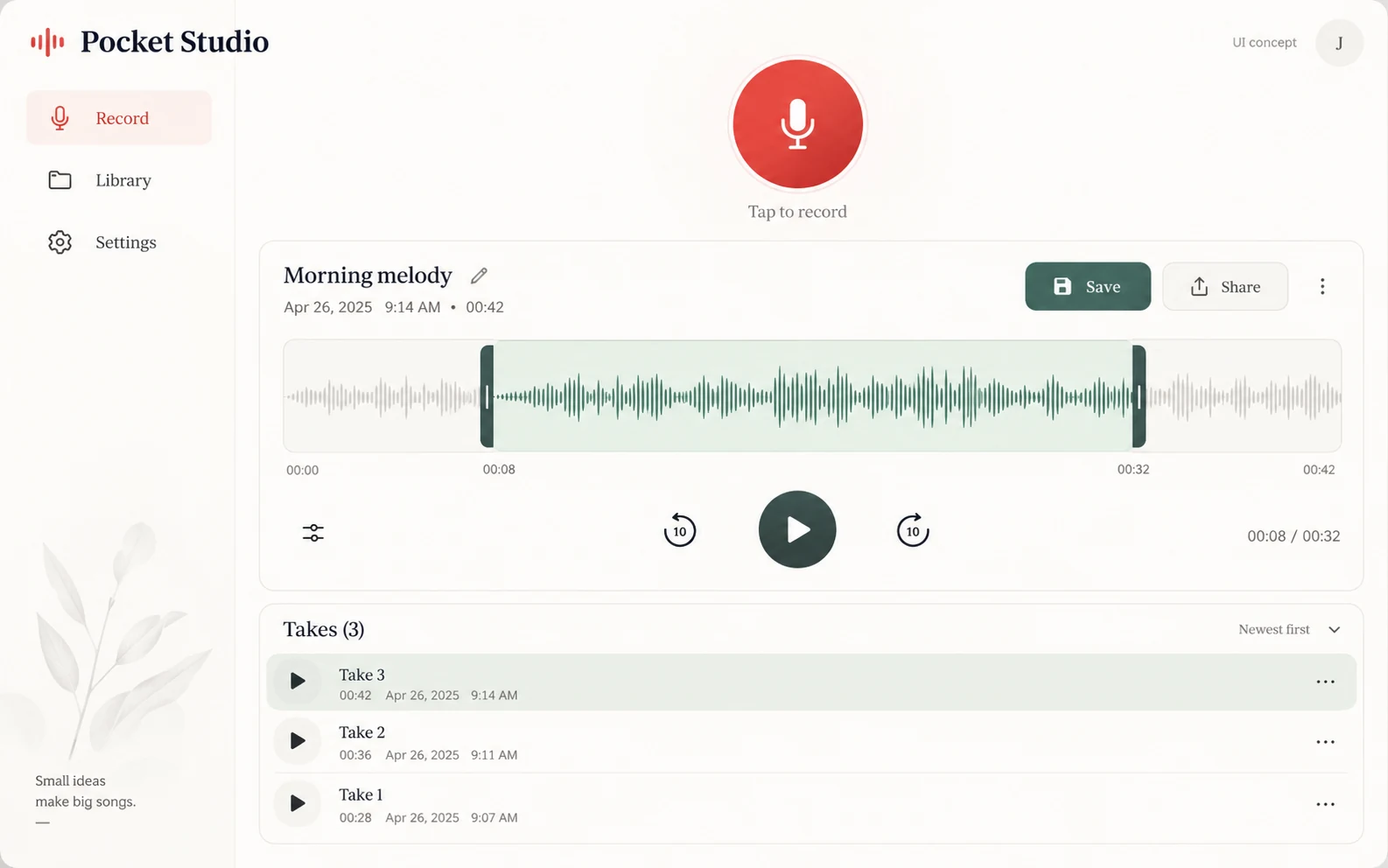
APPLICATION & DOWNLOADS
How to use Pocket Studio.
Web app in The Circle · Public alpha
Opens Pocket Studio inside The Circle. Recording uploads require sign-in.
Open Pocket Studio in The Circle ↗Download availability
No public desktop or mobile installer is available for Pocket Studio.
All apps & download statusSupport & feedbackA place to begin
Make your first move.
- Open the Pocket Studio view in The Circle. Allow microphone access only when you are ready to record.
- Record a short test and listen back before keeping a longer memo. Keep a separate copy of recordings you want to retain.
- Sign in if you want to upload a recording. Check the sharing context and The Circle’s privacy notes before posting.
Public alpha. Recording uploads require sign-in. Local recordings and uploaded media have different storage and deletion boundaries; see the privacy notes.
Recording uploads require sign-in. Check microphone and browser behavior first and avoid recording people without their consent.
Where to start: Recording uploads require sign-in.
Declared input types: Start in the workspace; this catalog does not declare file import types.
Declared inputs describe expected formats, not certified decoder coverage. Save a separate copy of important work.
Check availability & downloads ↗Work through a useful example
How to check a browser voice memo before sharing it
A brief test recording reveals microphone and room problems before you record a long idea. Listen to the saved recording rather than relying on an animated input indicator.